


Key points
- Google ties profiles to locations, not organizations
- Each campus needs signage, staff and visiting families
- Offices families never visit don't get a profile
- Link each profile to its own campus page
- Reviews stay on the profile they're left on
For most multi-site schools and childcare groups, the right setup is one Google Business Profile per campus, provided each campus is a real place families visit and your staff are there during its hours. One profile for the whole group hides every campus except one from Maps, and a profile for a site that doesn't qualify is one Google can remove.
It's one of the questions that comes up again and again in the Google Business Profile Help Community. A typical one is a Help Community thread from a school asking whether its campuses need separate profiles. The answer depends less on how the school is organized and more on what each building actually is.
What Google's rules say about a Google Business Profile per campus
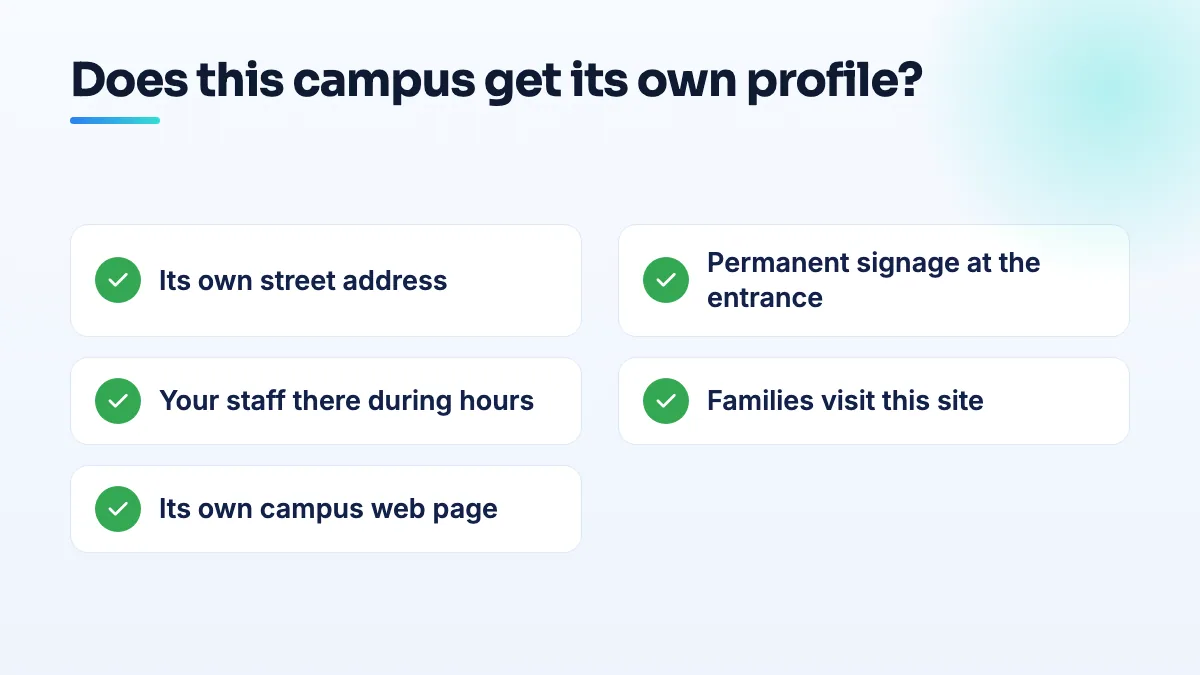
Google's guidelines for representing your business tie a profile to a location, not to an organization. A location qualifies when customers can visit it during stated hours, it has permanent signage, and it's staffed by your own people during those hours. For a school, "customers" means parents, students and visitors.
So the test is campus by campus. A second campus with its own entrance, its own sign, its own staff and families dropping off every morning passes easily. An administrative office that parents never visit doesn't. A classroom you rent inside a church hall or community center is somewhere in between, and it usually comes down to signage and whether families deal with your staff there.
Parents also need separate profiles. A family searching "preschool near me" is shown places near them on the map. If your group has one profile at the main campus, the families near your other campuses mostly won't see you at all.
How to set up one profile per campus
- List every site and test it. For each one, write down: its own address, permanent signage, your staff present during its hours, and families visiting. Every site with all four gets a profile. Sites without them don't.
- Check for existing profiles first. Search each campus address on Google Maps. Parents or former staff may already have created one. Claim it rather than making a duplicate.
- Name each profile the way the campus is signed. If the sign says "Northside Campus" as part of the school's name, that's fine. Don't add a town or keyword that isn't on the sign.
- Set each campus up separately. Its own hours, its own phone number if it has one, and the category that fits what happens there: a campus that is only a preschool shouldn't use the same category as the primary school.
- Link each profile to that campus's page. Not the home page. The campus page should show the address, hours, programs, ages, staff and how to book a tour at that campus.
- Keep ownership with the organization. Put all the profiles under one account the school controls, grouped together, and add campus staff as managers. Never let one staff member's personal account be the only owner.
- Send families the review link for their own campus. Reviews belong to the profile they're left on. Google doesn't move reviews between profiles, so a review for the wrong campus stays on the wrong campus.
When one profile is enough
- Two buildings on one site. If the infant room and the preschool share a lot, an entrance and an office, that's one location and one profile.
- Offices families never visit. Your head office, billing office or training center shouldn't have a profile unless the public actually goes there.
- Programs without a fixed site. Holiday camps in rented halls or classes held in someone else's building don't qualify as locations of their own.
Edge cases I get asked about
A school and a preschool at the same address
If they're genuinely separate, with a different entrance, name, staff and phone, they can sometimes have their own profiles as departments of the same organization. The rules are similar to the ones for a dealership's service department or a hospital unit, which I explain in the answer on department Google Business Profile rules. If they share everything, keep one profile.
Several centers from one franchise or group
Each center is its own location, so each gets its own profile, even if the brand is the same. Make sure each owner or director can manage their own center's profile, while the group keeps overall ownership.
Closing or moving a campus
Mark the closed campus as permanently closed. Don't rename it into a different campus to keep its reviews, because the reviews describe a place that no longer exists. If a campus moves, update its address and expect Google to check it again.
Multi-location questions like a Help Community thread on managing several locations of one business come up constantly. When I inherit a group whose profiles were made by different people over the years, I sort ownership first, then names, then categories. Edits made before ownership is settled tend to get undone.
Where this fits in the bigger picture
Getting the profile structure right is the foundation. Everything that follows, from reviews and photos to planning each campus around preschool tour season, happens campus by campus. If your group's profiles are a mix of duplicates, old owners and wrong categories, our GBP management starts by untangling them, and it's the first job in our SEO for schools work.
People also ask
Why did Google change my business category or name without asking?
Google edits profiles on its own when its systems, or suggestions from the public, decide your details are wrong. It happens most to service-area businesses with hidden addresses: Joy Hawkins confirmed one wave of forced re-categorization hit only those listings. Put your category or name back with a single edit, then make your website, signs and other listings use the same words so the change doesn't return.
Read the full answer: Why did Google change my business category or name without asking? →
What can you do about a Google review that accuses your business of a crime?
Treat it as three separate jobs. Report it to Google under the rule it actually breaks, such as harassment of a named employee, a fake or conflicted reviewer, or someone who was never a customer. If the claim is specific, false and costing you business, ask a lawyer whether it's defamatory. Then post one short, factual reply that doesn't repeat the accusation.
Read the full answer: What can you do about a Google review that accuses your business of a crime? →
Why were my childcare Google Ads restricted?
Usually because something in your account started to read as health-related or sensitive to Google's review systems, not because you broke a rule. Childcare ads and pages often mention medication, allergies, therapies or special needs, and audience lists built around parents can run into Google's limits on personalized advertising. Restricted means the ads still run, but to fewer people. Find the exact policy named, remove the trigger, appeal if it's wrong, and stop leaning on ads alone for enrollment.
Read the full answer: Why were my childcare Google Ads restricted? →
Can an agency's restricted Google account get my profile suspended?
Yes. If an agency, freelancer or vendor with access to your listing has its Google account restricted, Google can suspend every profile connected to that account, and yours goes with it. The notice says a Google account associated with the profile was restricted. Proving your address won't fix it: remove the account, have the agency resolve its restriction, and appeal on that point.
Read the full answer: Can an agency's restricted Google account get my profile suspended? →
Can you appeal a Google review decision more than once?
No. You get one appeal on each review Google decides not to remove, and once the appeal is denied, that decision is final for that review. Wait for the first decision before appealing, and only appeal with new evidence tied to a specific policy clause. After that, your options are a calm public reply, reporting new reviews from the same accounts, and outnumbering the review with genuine ones.
Read the full answer: Can you appeal a Google review decision more than once? →