


Key points
- Hidden-address listings get re-categorized most
- Restore your version with one edit, not ten
- Make your website use the same category words
- Delete product categories you never added
- Escalate in the Help Community if it returns
You open your profile and the category is wrong, or the name isn't the one you typed, and nobody asked you. "Google changed my business category" is one of the most common complaints I read from service-area owners, and the fix is the same each time: put your version back once, then remove whatever gave Google the idea.
Why Google changed my business category or name
Google doesn't rely only on what you type. It also uses its own systems and edits suggested by the public, and when those disagree with your profile, it sometimes overrides you. Some of the results are absurd:
- An appliance repair company was categorized as a dental clinic, according to a Help Community thread about an appliance repairer typed as a dental clinic.
- A mobile grooming business was renamed without permission, in a Help Community thread about Google renaming a mobile groomer.
- A doctor's profile had Medical Clinic forced as its primary category.
- An optician found books, movies and clothing added as product categories, in a Help Community thread about wrong auto-generated product categories.
There's a pattern in who it hits. In a Local Search Forum thread on an auto glass category being changed, Joy Hawkins confirmed that forced re-categorization was hitting multiple listings, and only service-area businesses with hidden addresses. My read is that with no visible address, Google leans harder on other signals, such as your website wording and what the public suggests, to decide what you are.
How to get your category or name back
- Screenshot what changed and when. Capture the profile as the public sees it and anything your dashboard shows about a Google update. You'll need the dates if this repeats.
- Put your version back with one edit. Your profile usually flags updates from Google for you to review. Restore your category or name there, and change nothing else at the same time.
- Fix the words that sent Google the wrong way. Check your website title, headings and About page, and your main directory listings, for the category words you want. If Google picked something odd, look for pages or listings that describe you with its words instead of yours.
- Delete product categories you never added. Remove the auto-generated ones and add your real services, so there's less for Google to fill in.
- If it flips back, stop editing and escalate. Changing it every morning only adds noise. Post in the Help Community with your screenshots, the dates of each change and what your website and signs say. Product Experts can pass a clear case to Google.
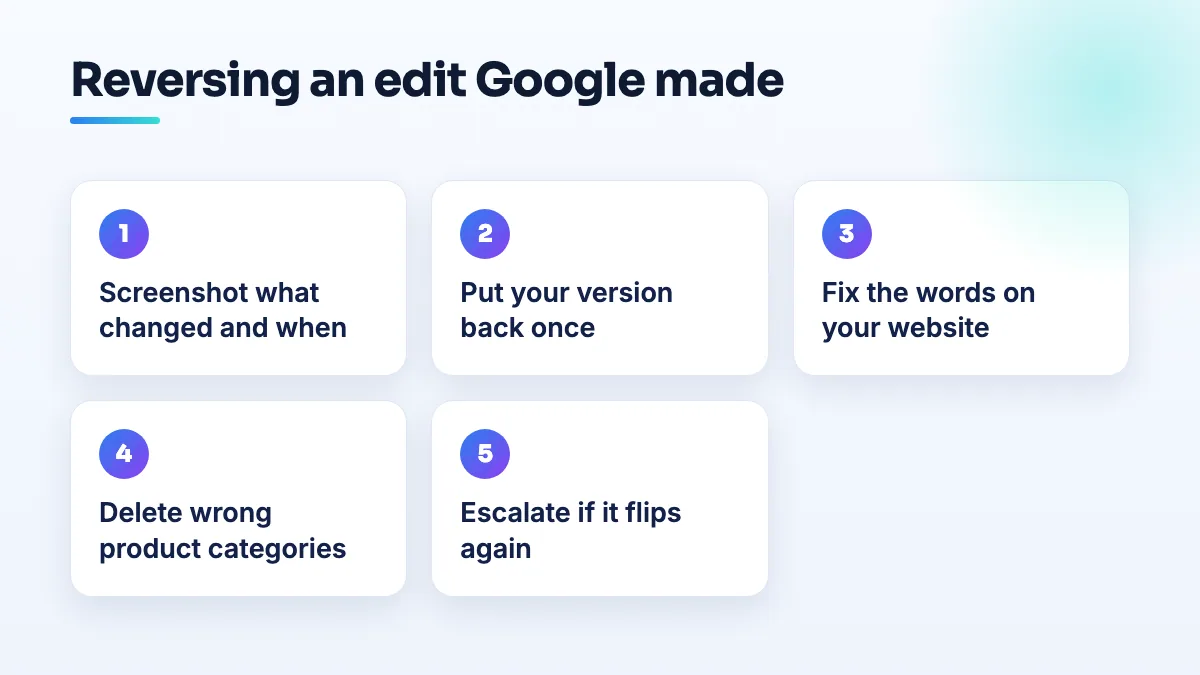
What I check first when a category keeps flipping
When an owner sends me one of these, I start with the website, not the profile. If the homepage title says one trade and the services page leads with another, I'd expect Google to pick whichever it sees more of. I look at the words in the first heading, the page titles and the first paragraph of the About page, and I make them say the same thing as the category.
Then I look at the main directories. An old listing that describes the business as something it used to be, or a data aggregator that has it filed under the wrong type, can feed the same mistake back. I'd fix those before I'd restore the category a second time, because restoring it without removing the cause usually just starts the loop again.
Don't show a hidden home address just to stop the re-categorization. If customers don't visit, a visible home address creates a bigger problem than the one you're fixing.
When Google's change is partly right
The name. If your profile name had a city or service keywords in it and Google trimmed them, Google applied its own rule. Put back your real-world name as it appears on your sign, not the longer version.
The category doesn't exist or is restricted. A Montessori preschool in a Help Community thread from a preschool stuck in the School category couldn't change away from School, and its reviews weren't showing. Sometimes the category you want isn't available to you. My answer on what to do when there's no Google business category for your business covers picking the nearest one.
Doctors and clinics. I'd read a forced Medical Clinic category as a sign the profile looks like a clinic rather than a practitioner. Check that the name matches the practitioner's license and that the website describes the specialty, then restore the category.
Keeping it from happening again
Pick your categories deliberately, so your choice is easy to defend; the guide to choosing categories walks through it. Then check the profile once a month. Mobile businesses are hit most: re-categorization is a recurring problem in auto shop SEO, in appliance repair SEO and for mobile groomers in dog grooming SEO, because so many of them run with hidden addresses. A monthly check is part of our Google Business Profile management.
People also ask
Which Google Business Profile categories require a visible address?
Some Google Business Profile categories won't run as a hidden-address service area. Local Search Forum practitioners have confirmed Mechanic and Swimming Pool Contractor, and owners in other categories report being told theirs needs a location customers can visit. If your primary category is one of them, you either show a real address customers can come to during your hours, or choose a different category that fits your work and allows a service area.
Read the full answer: Which Google Business Profile categories require a visible address? →
What can you do about a Google review that accuses your business of a crime?
Treat it as three separate jobs. Report it to Google under the rule it actually breaks, such as harassment of a named employee, a fake or conflicted reviewer, or someone who was never a customer. If the claim is specific, false and costing you business, ask a lawyer whether it's defamatory. Then post one short, factual reply that doesn't repeat the accusation.
Read the full answer: What can you do about a Google review that accuses your business of a crime? →
Why does my verified Google Business Profile not show up publicly?
Because verification and publication are separate. Verification proves the business is real; Google still has to be confident enough to show the listing to everyone. A new business with no website, directory listings or registry record can pass verification and stay "Only visible to you", especially if an older business shares its name. Search your name signed out to see which gate you're at, then build that footprint.
Read the full answer: Why does my verified Google Business Profile not show up publicly? →
Should a local service business publish its prices online?
Yes, for most local service businesses. Publish fixed prices for fixed-scope jobs, a starting price or range for jobs that vary, and a quick estimator or quote form for custom work. Searchers who type "how much" want a number before they call, and pages that show one win the click. Add a date and a line that the final price is confirmed after inspection.
Read the full answer: Should a local service business publish its prices online? →
Can an agency's restricted Google account get my profile suspended?
Yes. If an agency, freelancer or vendor with access to your listing has its Google account restricted, Google can suspend every profile connected to that account, and yours goes with it. The notice says a Google account associated with the profile was restricted. Proving your address won't fix it: remove the account, have the agency resolve its restriction, and appeal on that point.
Read the full answer: Can an agency's restricted Google account get my profile suspended? →