


Key points
- Filtered reviews stay visible to their author only
- Check the review link in a signed-out window
- If nobody can review, check your profile status first
- Look for a duplicate listing collecting reviews
- Don't ask customers to repost the same review
When a customer swears they left a review and you can't find it, the review almost always exists but Google is holding it back from public view. Google reviews not showing up is usually a filtering decision about the review or the account that wrote it, and sometimes a problem with your profile itself, so the fix starts with working out which one you have.
I went through the Google Business Profile Help Community threads on this, and the same two complaints come up across every kind of business: reviews that the customer can see but nobody else can, and customers who can't leave a review at all.
Why a review shows for your customer but not on your profile
A review that Google's systems hold back usually stays visible to the person who wrote it. That's why the screenshots don't settle anything. In a Help Community thread from a lawn care company whose 5-star reviews never published, the owner's clients sent screenshots proving their reviews were live on their end, and none of them appeared on the profile. The support ticket had been open for weeks with no action. Driving schools report the same thing in a thread from a driving school whose students' reviews never appeared.
When I look at a batch of missing reviews, these are the patterns I check for:
- Brand new or empty reviewer accounts. A first-ever review from an account with no photo and no history is the kind Google is most likely to hold back.
- A burst after a review drive. Ten reviews in two days on a profile that normally gets two a month looks unusual, even when every one is genuine.
- Reviews written on the spot. Customers reviewing from your counter or your van, straight after you ask, all from the same place at the same time.
- Anything that looks rewarded. Discounts, draws or gift cards for reviews break Google's rules, and reviews tied to them are the ones I'd expect to lose.
Why customers can't leave a review at all
This one is more often about your profile than about them. A Help Community thread from a nail salon where nobody could leave reviews had old reviews vanishing at the same time, and a boutique described the same block in a thread about customers unable to review a verified store. When it's everyone, I check the profile's status first: a suspension, a pending re-verification or a warning about restricted ratings. Google can restrict ratings on a profile it suspects of fake reviews, and a salon in a thread about ratings restricted by an algorithm error hit exactly that without having bought anything.
When it's one customer, the block is usually on their side. A learner in a Google Maps thread from a learner blocked from reviewing an instructor simply couldn't post. My first question in that case is which Google account they're using: a school or work account can have some Google services switched off by its administrator, so I'd ask them to try a personal account.
How to fix Google reviews not showing up
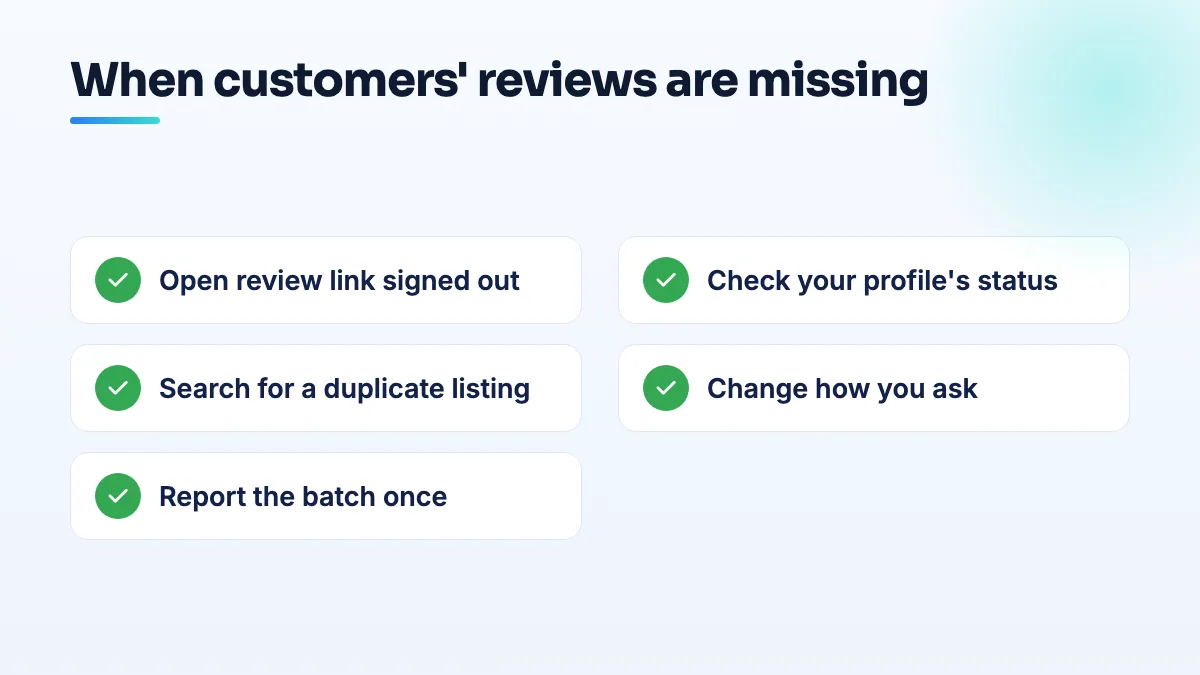
- Get the link to the missing review. Ask the customer to share their review from their own Google Maps contributions and send you the link. Open it in a private browser window where you aren't signed in. If you can't see it there, it isn't public.
- Check your profile's status. Open your Business Profile while signed in as the owner and look for any suspension, verification request or warning about reviews. If there is one, that is the problem to solve first, and the reviews will wait on it.
- Search for a duplicate listing. Search your business name and phone number on Google Maps while signed out. A customer who reviews an old or duplicate listing leaves a real review in the wrong place.
- Change how you ask. Send your profile's review link by text or email a day after the job, spread requests across the month, and never reward the review. It's the pattern described in my answer on whether it's fine to ask customers for Google reviews.
- Report the batch once, with evidence. Contact Business Profile support with a list of the missing reviews: date, first name as shown, star rating and the screenshots. Then post the same facts in the Help Community, because the lawn care ticket sat untouched and Product Experts can escalate one that's stuck.
What doesn't work
Don't ask customers to delete and repost the same review. The same text from the same account is no more likely to pass the second time, and a string of reposts looks worse. Don't ask them to write it from a new account either.
Be realistic about filtered reviews. In my experience most of them don't come back, even after a ticket. What changes the outcome is the next hundred reviews, collected slowly from customers with real accounts. Reviews that were public and then vanished are a different problem, which I cover in the guide on why Google reviews disappear.
What's different for lawn care, driving schools, salons and boutiques
- Lawn care clients are recurring, so it's tempting to ask everyone in one email at the end of the season. Ask a few each week instead. It's the first change I make in lawn care SEO work.
- Driving schools teach young learners, many of whom have new Google accounts or accounts managed by a school. Ask after the test, not after the first lesson, and suggest a personal account. I cover the rest in SEO for driving schools.
- Nail salons tend to ask at the front desk on the salon's Wi-Fi. A text the next morning gets reviews that look like normal customer behavior, and that's what I recommend in nail salon SEO projects.
- Boutiques get walk-in customers who've never used Google Maps to review anything. A card at the till with a QR code works, as long as nobody is offered a discount for using it.
If your profile has a status problem underneath the missing reviews, that's part of our Google Business Profile management, and it's usually the real fix.
People also ask
Can you appeal a Google review decision more than once?
No. You get one appeal on each review Google decides not to remove, and once the appeal is denied, that decision is final for that review. Wait for the first decision before appealing, and only appeal with new evidence tied to a specific policy clause. After that, your options are a calm public reply, reporting new reviews from the same accounts, and outnumbering the review with genuine ones.
Read the full answer: Can you appeal a Google review decision more than once? →
Can a booth renter get their own Google Business Profile?
Usually not at the salon's address. Google only lets a business in a shared space list that address if it has its own dedicated space with permanent signage, where customers deal with its own staff during business hours. An open-floor chair doesn't pass that test. A private suite with your name on the door can, and a renter who also travels to clients can list as a service-area business with the home address hidden.
Read the full answer: Can a booth renter get their own Google Business Profile? →
How do you claim a Google listing that has no claim button?
Start from Business Profile Manager instead of the listing. Add a business, pick your existing listing from the suggestions, and Google will either let you verify it or route you to its ownership request, which emails the current owner. If neither appears, check every Google account you've used, then post the Maps link in the Help Community so a Product Expert can look.
Read the full answer: How do you claim a Google listing that has no claim button? →
Does a contractor license help you pass Google Business Profile verification?
Not much on its own. Google doesn't verify you because you're licensed; it checks that your records, profile and video all point to the same business at the same address. A license lookup or corporate filing showing a different address, or a mailbox, can make verification fail. Align every record first, then show the license in your video as supporting proof.
Can you offer a discount or gift card for a Google review?
No. Google's review policy doesn't allow money, discounts, gift cards, free services or other incentives in exchange for reviews, even if you never ask for five stars. It often doesn't work either: one lawn care operator gave gift cards to all 21 of their clients, spent $500 and got zero reviews. A plain request at the right moment, with a direct link, does better and stays inside the rules.
Read the full answer: Can you offer a discount or gift card for a Google review? →