


Key points
- A license alone doesn't prove eligibility
- Mismatched license addresses can sink verification
- Fix board, registry and tax records first
- Say accurately who holds the license
- Show the license after location and control shots
You're licensed, insured and registered, and Google still won't verify you. A contractor license helps Google Business Profile verification far less than owners expect, and a license record that shows a different address from your profile can actively sink it. What counts is whether your records agree with the profile, not the license itself.
I went through the Help Community threads from licensed electricians, roofers, general contractors and driving instructors who couldn't get verified. The pattern is consistent, and it's fixable.
Why a contractor license doesn't get you through Google Business Profile verification
The clearest case is a Help Community thread from an electrician whose records contradicted his profile. He was denied again and again with generic reasons. When a Product Expert looked, the state license lookup returned a hair salon's address and the corporate filing pointed to a UPS Store mailbox. Neither matched the profile. From Google's side, that isn't a licensed electrician. It's a business whose public records say it's somewhere else.
A license on its own also doesn't prove eligibility. A licensed C-10 electrical contractor in a Help Community thread about a licensed C-10 contractor flagged ineligible was still ruled ineligible, and a thread from a licensed California roofer who couldn't verify describes a home-based roofer stuck the same way. Eligibility is about how you serve customers and how the profile is set up, not whether the state approved your work.
The same goes outside construction. A UK driving school in a Help Community thread about a driving school with an instructor badge had its Approved Driving Instructor badge, insurance and proof of address ready and still looped in automated verification. The Product Expert's answer wasn't about the badge at all. It was about what the video showed: the area around the hidden address, the vehicle and proof of management.
How to make your license help instead of hurt
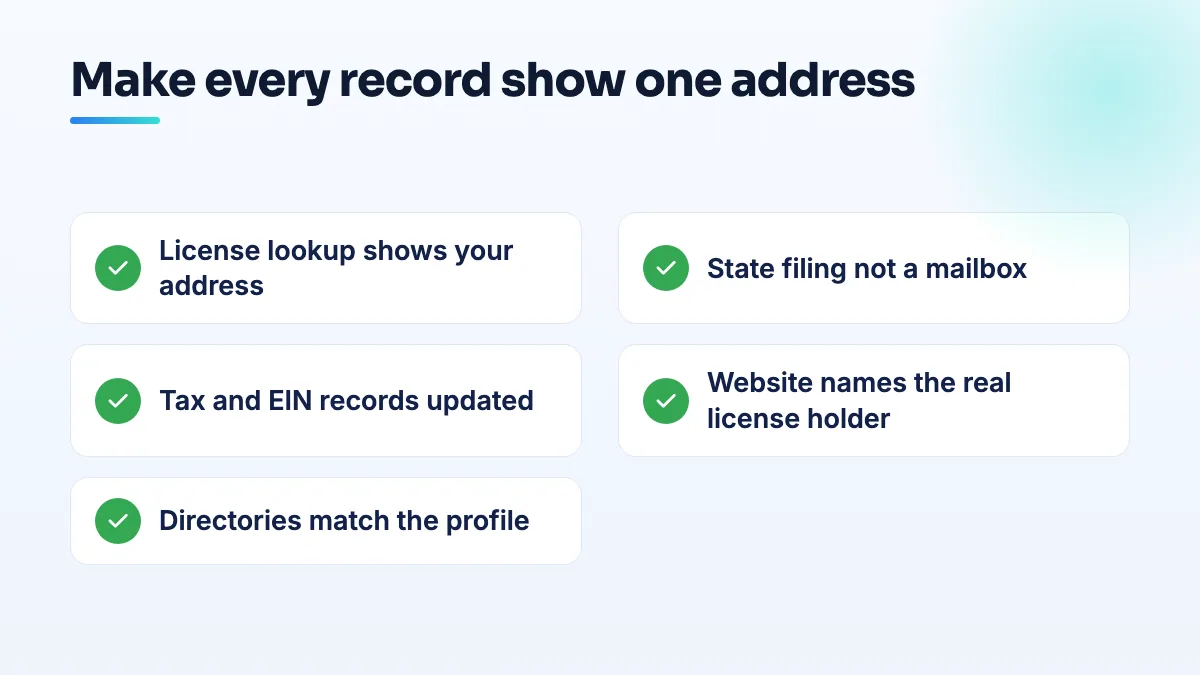
- Look yourself up the way Google might. Search your license number on the state board's lookup, your company on the secretary of state or corporate registry, and your business name on Google. Write down the name and address each one shows. This is the first thing I do for any licensed contractor who can't verify, and it takes ten minutes.
- Fix the records that disagree before you touch the profile. Update the license board address, the corporate filing and the registered agent details so they point to where you actually run the business. A mailbox store address on a filing is a red flag, even if it's legal for the filing itself.
- Update tax and bank paperwork too. A computer repair owner who moved cities wrote that his LLC and EIN paperwork still showed the old address when he appealed, so the move looked like a hijacked listing. Any document you might submit needs the current address.
- Say who holds the license, accurately. An electrical contractor in the forum was suspended for deceptive content because his website implied he personally held the license when he didn't. If you work under a qualifier or another contractor's license, say so plainly.
- Match your directory listings. Yelp, the BBB, Angi, Facebook and any trade directories should carry the same name, address and phone.
- Then verify, and show the license in the video. Hold it up on screen after the shots that prove the location and your control of it, not instead of them. My shot list to verify a home-based business on Google covers the rest.
Edge cases
- You hide your home address, but your license shows it. That's fine. Hiding the address controls what customers see; Google still knows the address you entered, and it should be the same one on your records.
- Your license shows a former business address. Update the board first and wait for the lookup to change before you start verification. I'd rather lose a week than burn an attempt on records that still disagree.
- You're licensed in several states. Keep one profile at the address you actually work from, and list the other licenses on your website rather than creating profiles where you have no base. My advice is one profile per real base, never one per license.
- The profile is already suspended. Records that disagree across the web are one documented reason profiles go down twice. Read how inconsistent NAP leads to a suspension before you appeal.
I start every general contractor SEO, electrician SEO and SEO for roofers project with this record check, because a license that contradicts the profile does more harm than no license at all. Getting those records to agree is what our NAP consistency work is for, and the verification itself is part of Google Business Profile management.
People also ask
How long does Google Business Profile video verification take?
There's no fixed time. Owners in Google's Help Community report waits from about a week to nearly two months: allied health profiles stuck past 7 days, a verification unprocessed after two weeks, a mover pending 55 days. The status matters more than the days. Pending means wait without editing, rejected means fix the gap and reshoot once, and "No more ways to verify" means you need someone to escalate the case.
Read the full answer: How long does Google Business Profile video verification take? →
What should you do when no Google Business Profile category fits your business?
Choose the closest category that describes the work customers hire you for, based on the categories the top three businesses use for your main search. Check it doesn't require a storefront you don't have. Then describe your exact specialism everywhere Google allows your own words: secondary categories, custom services, the description and a dedicated page on your website. Make the category change once, because category edits can send a profile back into review.
Are service area pages still safe after the August 2026 spam update?
Service area pages that give each town real, specific information are still safe. Pages that only swap the city name into the same text match Google's description of doorway pages and were at risk long before August 2026. Reports of pages dropping after the update are anecdotal and inconsistent, so audit each page: keep the ones with local substance, merge the thin ones into one service-area page, and cut pages for towns you don't serve.
Read the full answer: Are service area pages still safe after the August 2026 spam update? →
Why are my customers' Google reviews not showing up?
Usually because Google is holding the review back, not because it was never written. A filtered review stays visible to the person who wrote it, so their screenshot doesn't prove it's public. New or empty accounts, sudden bursts of reviews and anything rewarded are the usual triggers. If nobody at all can leave a review, check your profile for a suspension, a verification request or a ratings restriction.
Read the full answer: Why are my customers' Google reviews not showing up? →
Can editing my Google Business Profile get it suspended?
Yes. Changes to your name, address, primary category, service area and even opening hours can send a profile back through Google's review, and real businesses have been suspended within minutes of making them. Photos, posts and review replies are rarely a problem. Before a risky edit, make sure your website and directories already show the change, make one planned change per session, and never edit while verification or an appeal is pending.
Read the full answer: Can editing my Google Business Profile get it suspended? →