

You moved, updated your address on Google, and the listing was suspended, or the reviews disappeared, or both. To change your business address on Google Business Profile safely, change it last: your registration, tax records, signs, website and directories should all show the new address before you touch the profile, and then you edit only the address.
This catches established businesses hardest, because an old listing that suddenly jumps to a new address is exactly what a hijacked listing looks like. I've read the Help Community threads from repair shops, flooring installers, builders, massage therapists and doctors who moved in good faith and lost their profile for it. The mistakes are nearly identical, and so is the fix.
Why a change of business address on Google Business Profile looks like a hijack
People who steal listings change the address and phone so the calls and reviews go to them. Google knows that, so an address edit on an established profile gets checked against everything else it can find. When the rest of the internet and your paperwork still show the old address, the move looks like a takeover.
The clearest account comes from a computer repair business that had traded for 13 years and moved from a small Georgia town to Savannah. It was suspended for deceptive content. In a Help Community thread from a repair shop suspended after moving cities, the owner worked out why: his LLC and EIN paperwork still carried the old address when he appealed, and in his words, "an older listing that suddenly moves to a bigger city with mismatched paperwork looks like a hijacked listing." By the time he posted, he was down to one remaining review request.
The other patterns I see:
- A home address left visible. A flooring installer's verified profile with 16 reviews was disabled after the owner moved house. His agency admitted it in a Help Community thread about a flooring profile disabled after a move: the new address was his home and should have been hidden. The appeal was denied.
- Several details changed at once. A doctor who changed practices updated the address, phone and website together and was suspended for deceptive practices, as described in a Help Community thread from a doctor suspended after changing practices.
- Reviews lost in the move. A deck builder lost more than 50 reviews after an address change and reinstatement. A restaurant lost 802 reviews and a 4.8 rating built since 2017 "the moment I updated my address", according to a Help Community thread about 802 reviews lost after an address update.
First, work out which kind of move this is
The steps below work for all of these, but the edit you make at the end differs:
- Storefront to a new storefront nearby. You change the address on the same profile. Customers keep visiting you, just somewhere else.
- Storefront to working from home. Customers no longer come to you, so the profile becomes a service-area business and the new home address is hidden in the same edit.
- Home to a new home, still serving customers on site. The hidden address changes and your service areas may need adjusting to where you now drive.
- A move to a different city or region. My honest view: the further you move, the more the listing looks like a different business, and the less I'd promise that rankings follow you. Do everything below with extra care, and expect to rebuild visibility in the new market.
How to change your address in the right order
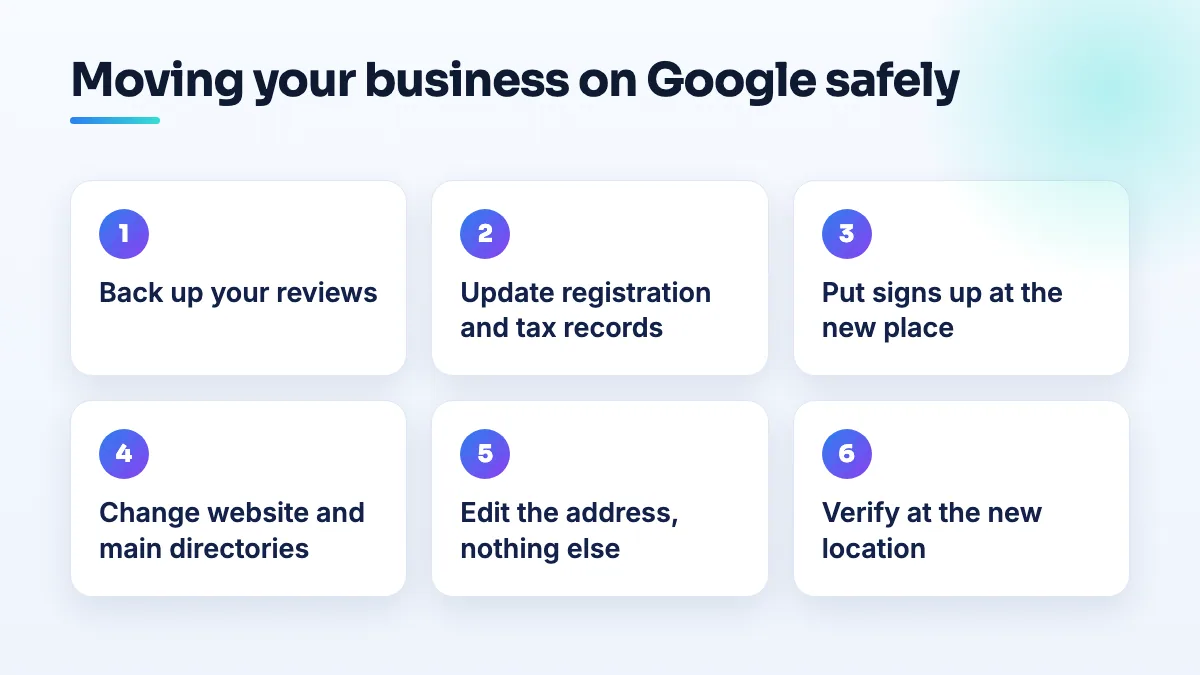
- Back up your reviews before anything else. Screenshot or export every review with its date and the reviewer's name, and note your total and rating. If reviews vanish during the move, this is your evidence. I go through the full routine in the guide on how to protect Google reviews before a move.
- Update your registration and tax records. Your state or provincial company registration, the address the tax authority holds for your business number or EIN, your business license, insurance and bank. These are the documents you'd attach to an appeal, so they must already show the new address.
- Get the new place ready to be seen. For a storefront, put permanent signage up and have a utility bill in the business name at the new address. For a home base, make sure your vehicle, tools and business records are there, because a verification video will be filmed at that address.
- Change your website and your main directories. New address on the contact page, footer and structured data, and the old one removed. Then your biggest directories and social profiles. Google reads those too, and inconsistent NAP and Google suspensions are closely linked.
- Edit the address on the existing profile, and nothing else. Don't create a new profile. Don't change the name, phone number, website link or categories in the same week. If the new address is your home and customers won't visit, hide it as part of this edit.
- Verify at the new address when asked. Expect Google to ask. For a storefront, film the street, your sign, a key opening the door and the working area. For a home base, film the street outside, your vehicle and equipment, and your key opening a door you control.
- Check the result for a month. Search your name from a phone that isn't signed in to your account, check where the pin sits, and compare your review count with your backup.
If the old address still shows, or now belongs to someone else
An electrician in a Help Community thread about an old address now belonging to someone else found the old unit still live on Google after the new tenant had moved in, so customers were being sent there. A roofing contractor working from a home office moved and couldn't re-verify, while the listing kept showing the old address and, as he put it, was costing him business every day.
If this is you, check three things. Is the old address still in any major directory or on your own website? Google may be picking it up from there. Is there a second profile at the old address that you created or inherited? If so, it needs to be dealt with, not left. And is the profile still pending verification at the new address? A pending edit often leaves the old details showing until it's approved. If the pin itself sits in the wrong place after the move, my guide to fixing a map pin in the wrong location on a service-area profile covers that.
What's different for computer and phone repair shops
Repair shops tend to be long-established, with years of reviews and lots of walk-in trade, which makes the hijack pattern worse: an old listing, a sudden move to a bigger city, a new phone number for the new shop. If you can keep the same phone number, do. Put a "we've moved" notice at the old shop and on your website for a few months so customers bring devices to the right place.
The Georgia repair owner's lesson is the one to take: fix the LLC and EIN address before you appeal, not after, because the appeals run out. He was down to his last one. Relocation planning is part of any phone repair SEO work we do for a shop that's moving.
What's different for doctors changing practices
The doctor in the thread above had two complications that most businesses don't. The old profile had been set up by a former employer, and the name on it needs to match the NPI registry, the state license and the big physician directories if it's ever appealed.
- Find out who owns your practitioner profile. If the old practice owns it, request ownership or ask them to transfer it before you change anything.
- Update your license and NPI record to the new practice address first. Those are the records a reviewer checks against.
- Change one field at a time. Address first, then the phone number after it's accepted, then the website link. Each change on its own is easy to verify.
The old practice keeps its own profile; what moves with you is the practitioner profile in your name. This comes up in almost every medical practice SEO onboarding where a doctor has recently changed practices.
What not to do when you move
- Don't create a new profile at the new address while the old one exists. You risk a duplicate, and the reviews won't come with you.
- Don't delete the old profile to "start clean". That throws away the review history you're trying to keep.
- Don't let anyone else make the address edit without the steps above. A handyman in a Help Community thread about a marketing company's address change said he'd been making "between 5-8k a month and had about 60 5 star reviews" until his marketing company changed his address and the profile was suspended the next day.
- Don't show a home address customers don't visit. It's the mistake behind the flooring suspension and one of the most common triggers for home-based businesses.
Plan the move before the lease starts
An address change done in the right order is mostly paperwork and patience. Done in the wrong order, it can cost you the profile and years of reviews. If you install floors from a home base, the hidden-address point is the one that caught the installer above; it's a standard check in our flooring company SEO work. If you'd rather we handle the move, it's part of our Google Business Profile management.
Written by Saifur Rifat, Founder & SEO Lead at SERP Squad.