

You're about to end a contract with your marketing company, and you're not sure whose Google account actually controls your listings. Run a Google Business Profile ownership audit first: list every listing, write down who is owner and who is manager on each, move primary ownership to your own account, and only then give notice and remove the agency.
It takes an afternoon for a single-location business and a few days for a health system. Skipping it is how businesses end up locked out of their own listing, or suspended because of an account that wasn't even theirs.
What goes wrong when you switch agencies without checking
The worst case I found is in a Help Community thread about 38 urology listings suspended at once. A medical group had terminated its agency, the agency's Google account was placed under restriction, and every listing that account was connected to went down together. Profile appeals couldn't move until the account restriction itself was lifted, and once the evidence form was open there was a 60-minute window to upload everything.
The smaller cases hurt just as much. A plumbing company in Oslo found an agency it didn't recognize holding primary ownership, in a thread about an unknown agency as primary owner. An electrician lost control to a third party in a thread about a third party seizing an electrician's profile. And a handyman described in a thread about a marketing company's address change what happened after his marketing company changed his address: "I was making between 5-8k a month and had about 60 5 star reviews." He was suspended the next day, and the company kept billing him.
None of these owners did anything wrong on their own listing. They just didn't know who else had the keys.
The Google Business Profile ownership audit, step by step
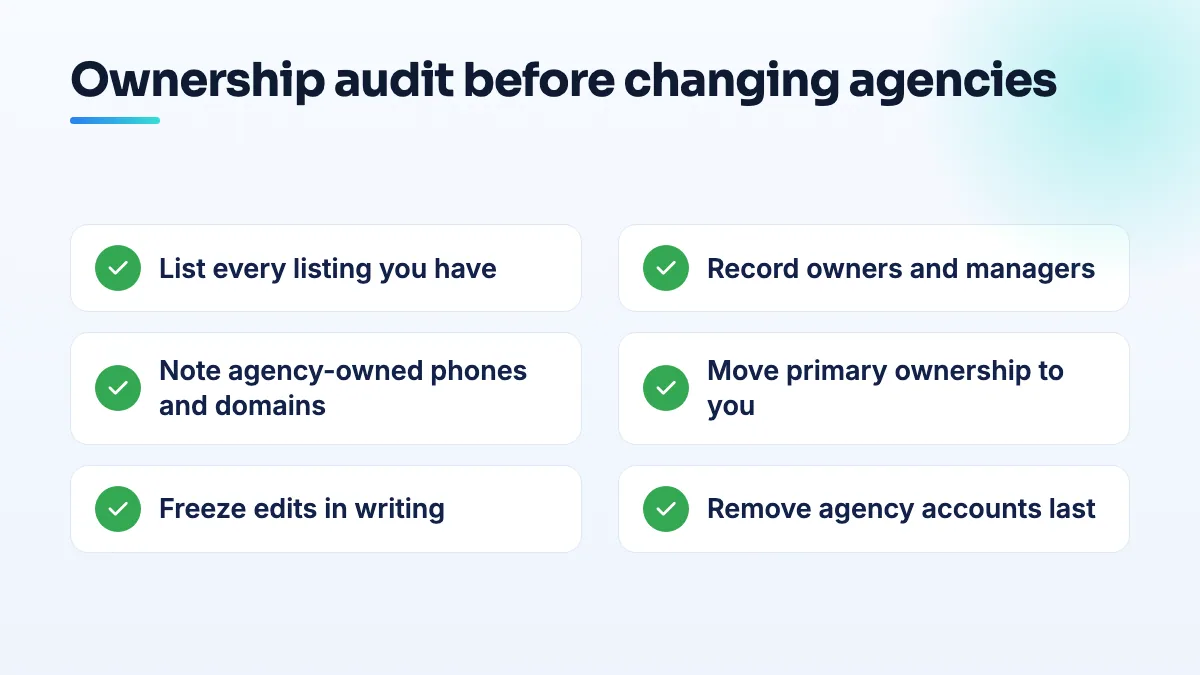
- List every listing you have. Every location, every doctor or practitioner listing, old addresses you moved from, and any duplicates. Search Google Maps for your business name and phone number, not just your dashboard, because listings you don't control won't show in your account.
- Record the people on each one. Open each listing's people settings and write down the primary owner, other owners and managers, with their email addresses. Mark each as business account, staff member, agency or unknown. A spreadsheet with one row per listing is enough.
- Record everything else the agency controls. The website domain and hosting, the phone number (tracking numbers belong to whoever rents them), booking links, the Google Ads account, Search Console and analytics. If the agency owns the domain your profile links to, the profile isn't really yours either.
- Make your own business account the primary owner of every listing. Do it before you give notice. Google's rules for authorized representatives say agencies must transfer ownership to the business owner immediately on request, and third parties have 7 business days to let you regain exclusive control. If they won't, follow the steps to get your Google Business Profile back from an agency.
- Screenshot every listing. Name, address, categories, service area, phone, website, hours and review count, with the date. If anything goes wrong during the handover, this is your evidence of what it looked like.
- Freeze edits in writing. Tell the agency, by email, that no changes should be made to names, addresses, categories or service areas during the wind-down. The handyman's suspension started with exactly that kind of edit.
- Remove the agency's accounts on the last day. From every listing, not just the main one. A former agency left sitting as a manager is still connected to you, and if its account is restricted later, you can go down with it. I explain that risk in the answer on an associated account restriction on a Google Business Profile.
- Replace what they owned, one piece at a time. Swap the tracking number for your own, then update the website link if the domain is moving. Space the edits out so they don't read as a takeover.
Hospitals and health systems: the audit at scale
A health system has the same problem multiplied by every campus, department and physician. The 38-listing suspension is what it looks like when one account touches all of them. A few things are specific to you:
- Audit location groups, not just listings. Large organizations manage listings through groups, and access granted at group level reaches every listing inside it. Check who has access to each group as well as each listing.
- Handle departed providers carefully. In a Help Community thread on removing departed providers from a hospital account, the advice was to mark the listing permanently closed before deleting it, and to strip out any website links and phone numbers that point to you first. Deleting a listing from your account removes your ownership, not the listing, and the doctor can claim it afterwards.
- Prepare appeal evidence per location in advance. If an account restriction does hit, the profile appeals wait until the account is cleared, and then you have 60 minutes once the evidence form opens. A folder per location with a utility bill, signage photos and the registration saves that hour.
- Keep agencies at manager level, on the smallest group they need. Never primary owner of anything.
This is the part of health system SEO that nobody budgets for until a mass suspension, so I do it before any other work on the listings.
Single-location businesses: what matters most
For a plumber, electrician or handyman, the one listing is the business. The audit is shorter, but losing the profile hurts more, because there's no second location to fall back on.
- Trades most often find a vendor or an agency they barely remember as primary owner, like the Oslo plumber. Check before you cancel anything. It's the first step I take in plumbing SEO and handyman SEO work, because the address and service-area edits that follow can't be made safely by someone who isn't the owner.
- Doctors in a group practice should check both the practice listing and their own provider listing. They're often owned by different people.
- Startups usually have the listing on a founder's personal account. Move it to a company account before anyone leaves.
What not to do
- Don't give notice before you're primary owner. An agency that's just been fired has no reason to hurry.
- Don't share one login with the agency. Add them as a manager on your account instead, so you can remove them without changing a password.
- Don't delete listings you don't want. Deleting removes your control, not the listing.
- Don't let the outgoing agency make final edits. Freeze everything until you're in control.
- Don't leave old managers attached "just in case". Every account connected to a listing is a risk you carry.
Before you switch
If you're changing agencies because results have stalled, it's worth knowing how to check your SEO agency properly before you decide. Either way, the audit comes first. If you want it run for you, it's the first thing we do in Google Business Profile management, and you stay primary owner throughout.
Written by Saifur Rifat, Founder & SEO Lead at SERP Squad.