

Your service-area profile says you're in the wrong town, or the pin sits in a district you don't work from, and every attempt to fix the address on your Google Business Profile triggers verification, locks the field or gets the listing suspended. The fix is to work out exactly what's wrong first, get your records and your verification video ready, and then make a single address edit you can verify the same day.
This hits service-area businesses because the address is hidden, so owners often don't notice it's wrong until rankings go strange. I've read the Help Community threads from a land-clearing firm, a solar installer, a fencing contractor and a refrigerator repair technician stuck in exactly this loop. Below is how I'd get out of it, and when I'd leave the address alone.
Why a fix to your address on Google Business Profile triggers verification
Hiding your address doesn't stop Google using it. For a service-area business, the hidden address is still where Google places you. An admin on the Local Search Forum put it bluntly in a Local Search Forum thread on a transport company's service area: "the service area has zero impact on where you rank. Ranking is based on the physical address that you use to verify the listing."
So an address change moves where you rank, and it's also the first thing someone hijacking a listing would change. That's why Google asks you to verify again, and why a correction can look suspicious even when it's honest.
What owners report:
- The field locks. A tree and land-clearing company, verified since 2020 with 19 reviews, wrote in a Help Community thread about a locked address field: "Attempting to edit the address triggers the verification flow, and the address field is locked." It can't fix the address because fixing it needs verification, and verification keeps failing because the address is wrong.
- The fix causes a suspension. A solar installer in the south west of Western Australia found Google describing his business as a solar energy company in West Perth, about 270 km away. In a Help Community thread from a solar installer shown 270 km away, he explained that correcting the underlying address triggered another suspension, so he no longer dares touch it.
- The pin is in the wrong district. A refrigerator repair business with no storefront found its pin placed in a district it doesn't operate from, in a Help Community thread about a service-area pin in the wrong district.
- Rankings land in the wrong towns. A fencing contractor reinstated in February saw "fencing near me" get fewer than 15 impressions while the Performance report filled with searches from a town more than 30 miles away. A Product Expert warned him that fixing the address would force re-verification and risk another suspension.
Work out what's actually wrong
Before you touch anything, find out which of these you have. They look similar on a phone screen and need different fixes.
- The hidden address is wrong. An old address, a typo, a wrong unit or postcode. This one matters most, because it's where you rank from, and it has to be fixed.
- The address is right, the pin is off. The marker sits a few streets or a district away. The address edit screen usually lets you adjust where the marker sits, so this is fixed as part of one edit.
- The address and pin are right, the description names another town. Check your website, your directories and any old listings for that town. If they mention it, that's where Google got the idea.
- Your service area lists the wrong places. That's a service area edit, not an address edit. It carries less risk but isn't risk-free; owners in several threads report suspensions after service area changes too. My answer on whether your service area affects Google ranking explains what it does and doesn't change.
To check, search your business name on a phone that isn't signed in to your account, open the address in your dashboard, and look at which towns your searches come from in the Performance report.
How to fix the address without a new suspension
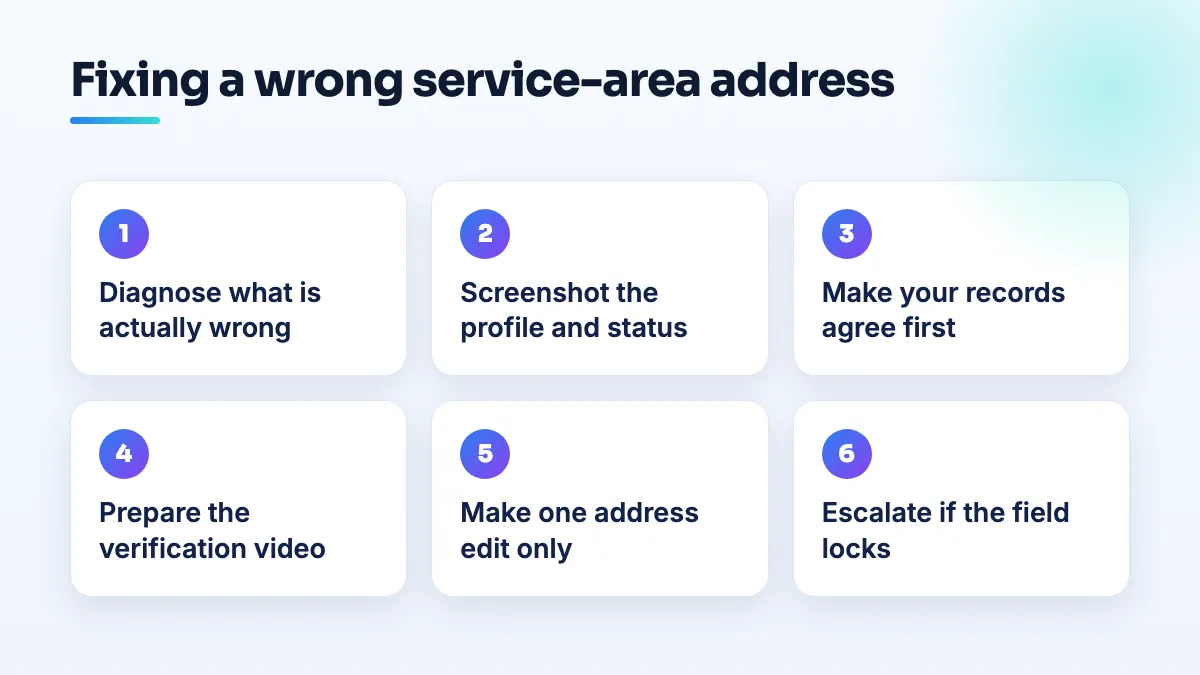
- Screenshot everything first. The public profile, the address in your dashboard, the current status, your review count and any message Google has shown you. If the edit goes wrong, you'll need to show what was there before.
- Make your records agree with the correct address. Your business registration, license, insurance and bank, then your website and main directories. If the wrong address came from an old record, fix that record, or Google may keep picking it up.
- Prepare the verification video before you edit. Be at the correct address with your vehicle, equipment and business paperwork. The video for a service-area business shows the street around the hidden address, your vehicle or equipment, and proof you manage the business, such as your key opening a door you control.
- Make one edit. Correct the address and the marker position, keep the address hidden, and change nothing else: not the name, categories, hours or service area.
- Verify straight away. If Google offers verification, do it from the address while everything is ready. Don't leave the edit pending for weeks.
- If the field is locked or the edit is refused, stop editing. Post in the Help Community with your business type, that you're a service-area business with the address hidden, a screenshot of the wrong address, the correct one, the documents you hold and that the field is locked. Product Experts can't edit your profile, but they can escalate a case that's clearly stuck.
If the address is wrong because you've actually moved, the process is different, and you'll want the order in my guide on how to change your business address on Google Business Profile.
When I'd leave the address alone
The solar installer's instinct wasn't wrong. If your calls come from the towns you serve and the only problem is a label, the risk of a suspension can outweigh the benefit of fixing it. I'd wait until you have everything above ready, and I'd never try it in your busiest month.
If the wrong address is costing you work, like the fencing contractor ranking 30 miles from where he fences, it has to be fixed. Just fix it once, prepared, rather than in a series of attempts.
And if the profile has only just been reinstated, I'd let it settle before making the edit. A fresh reinstatement followed straight away by an address change is the kind of sequence that draws another review.
What this looks like by trade
Landscaping and land clearing. These businesses often work from rural yards where the address itself is messy: no clean street number, a road that mapping services don't know well. An electrician in a Help Community thread about a road with no street sign couldn't verify because the council had never put a sign up. If that's your situation, film the nearest landmark and road sign you can, and show your paperwork with the address on camera. It's one of the first checks in our landscaping SEO setups.
Solar installers. Regional installers cover huge areas and are the most likely to be described by the nearest big city. Don't widen your service area to "fix" the label, and don't add the city you're mislabelled with anywhere on your site. We check this early in any solar company SEO project.
Appliance repair. A mobile technician in a big city lives or dies by district. A pin one district off puts you in the wrong neighborhood's results. The fix is the same one edit, but check the pin on the map before you save it. Getting the pin right is basic groundwork in our appliance repair SEO work.
What not to do
- Don't create a second profile with the right address. You'll end up with a duplicate, and possibly two suspended listings instead of one wrong one.
- Don't keep retrying the edit. Each attempt is another reason to review the listing.
- Don't show your home address to force the pin into place. If customers don't visit, a visible home address is one of the most common suspension triggers.
- Don't expand your service area to include the wrong town. It doesn't change where you rank, and it makes the profile look less accurate.
Get it checked before you touch it
An address fix on a service-area profile is one of the few edits I'd rather plan than rush. If you want a second pair of eyes before you press save, or you're already stuck in the loop, it's part of our Google Business Profile management.
Written by Saifur Rifat, Founder & SEO Lead at SERP Squad.