


Key points
- Restricted ads still run, just in fewer places
- Health wording on landing pages is a common trigger
- Audience lists fall under personalized advertising rules
- Fix the trigger first, then request a review
- Maps, licensing directories and parent groups fill rooms
You ran the same daycare ads for years without a problem, and now the account says "restricted" and the tour requests have slowed. When childcare Google Ads are restricted, it almost always means Google's review systems now read something in your ads, pages or audiences as health-related or sensitive, and the fix is to find that trigger, remove it, and ask for a fresh review.
It's worth doing quickly, but I'd also use it as the push to stop depending on one paid channel for enrollment. Below is why it happens, how I'd fix it, and what fills rooms while you wait.
Why childcare Google Ads get restricted after years of running fine
This catches owners off guard because nothing changed on their side. In an r/adwords thread from a childcare owner whose ads were restricted after two clean years, the account was limited under Google's health and personalized advertising rules. The ads hadn't been edited. Google's classification of them had.
"Restricted" and "disapproved" are different. A disapproved ad doesn't run. A restricted ad still runs, but only in some places, to some audiences, or with some targeting switched off. That's why the account looks alive while inquiries quietly drop.
Two things usually cause it for childcare:
- Health wording. Google's healthcare and medicines ad policy restricts health-related ads and puts some of them behind certification. A daycare isn't a health provider, but its pages talk about medication administration, allergy plans, nurse visits, special needs support, speech or occupational therapy and infant feeding. Put enough of that on a landing page and an automated review can read the ad as healthcare.
- Audience targeting. Google limits how advertisers can personalize ads around sensitive topics. Remarketing lists, uploaded customer lists and demographic targeting built around parents of young children are exactly the kind of settings those rules look at.
How to fix restricted childcare ads, step by step
- Read the exact policy named on each restricted ad. Open the ad's status details and write down the policy name and which ads, keywords or assets it lists. Health and personalized advertising need different fixes, so don't guess.
- Take health wording out of the ads and the landing page. Check headlines, descriptions, sitelinks, keywords and the page the ad sends people to. Move medication, allergy and therapy detail onto a parent handbook page that isn't used as an ad landing page. Keep the landing page about ages, hours, curriculum, location, tuition and booking a tour.
- Switch off sensitive audiences on the flagged campaigns. If the policy is personalized advertising, pause remarketing lists, customer lists and parental-status style targeting on those campaigns. Run them on search keywords and your real catchment area instead. It's less clever, and it's what the policy leaves you.
- Request a review once the changes are live. Appeal from the policy details. Say plainly that you're a licensed childcare center, not a health provider, and that the health references were removed from the ads and landing page. An appeal sent before you change anything tends to get the same answer.
- Compare impressions for two weeks. If impressions and clicks come back to where they were, you're done. If the status clears but traffic stays low, the targeting you removed was carrying the campaign, and the budget needs rebuilding around search terms parents actually type.
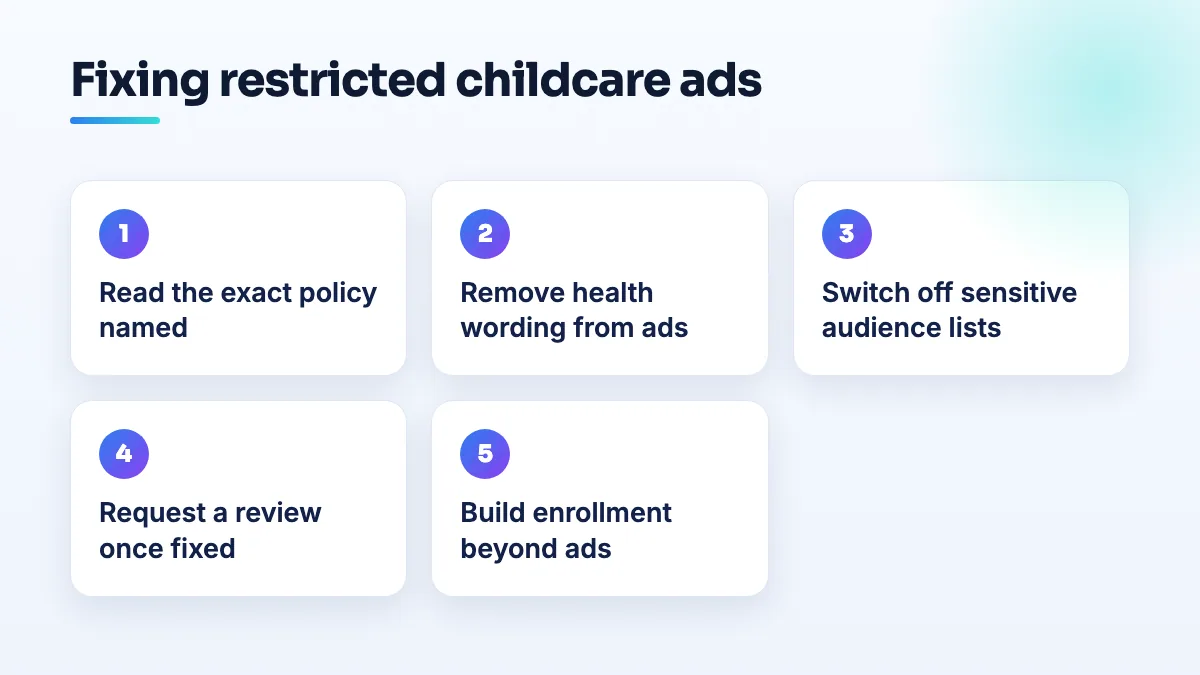
If the review comes back unchanged and you're sure nothing health-related remains, I'd split the account: one campaign with plain enrollment ads and no audiences, and keep any program that genuinely is therapy in its own campaign so it can't drag the rest down.
Where enrollment comes from when ads are limited
Paid search is one place parents look. It's rarely the main one. Parents in a working moms thread about how parents find daycare describe checking Google Maps, their state's licensing directory and local Facebook parent groups before they call anyone. None of those can be restricted by an ads policy.
- Your Google Business Profile. Correct category, real hours, photos of the rooms and outdoor space, and a steady flow of reviews from current families. For most centers this is the listing parents see first, and it's the core of our daycare SEO work.
- The state licensing directory. Make sure your listing there matches your Google name, address and phone exactly. Parents cross-check.
- Parent groups. Ask happy families to answer when someone asks for recommendations. Don't post ads into groups that ban them.
- A waitlist page. Childcare educators describe waitlists running 12 to 16 months in some areas. If you have one, say so, explain how it works and take sign-ups. That's demand you're currently turning away.
- Tour timing. Enrollment is calendar-driven, and parents in a Richmond, Virginia thread about enrollment tours describe tours bunching into February. Have the profile, the website and any ads budget ready before that month, not during it.
If you're opening a new center and the ads problem hit before your first families arrived, the order I'd follow is in the guide to new daycare marketing. Getting the Maps side right is part of our Google Business Profile management.
When the restriction is correct
Some programs really are healthcare. If you run pediatric therapy, ABA or a medical daycare, the health policy is doing what it was written to do, and removing words won't change that. In that case I'd keep those services on their own pages and campaigns, check whether any certification applies to what you offer, and put more weight on the profile and referrals. Preschools and private schools with no health services should rarely stay restricted once the wording and audiences are cleaned up.
My advice either way: treat ads as the top-up, not the foundation. If you want the account and the enrollment plan looked at together, that's what our Google Ads management covers.
People also ask
Why did Google change my business category or name without asking?
Google edits profiles on its own when its systems, or suggestions from the public, decide your details are wrong. It happens most to service-area businesses with hidden addresses: Joy Hawkins confirmed one wave of forced re-categorization hit only those listings. Put your category or name back with a single edit, then make your website, signs and other listings use the same words so the change doesn't return.
Read the full answer: Why did Google change my business category or name without asking? →
What can you do about a Google review that accuses your business of a crime?
Treat it as three separate jobs. Report it to Google under the rule it actually breaks, such as harassment of a named employee, a fake or conflicted reviewer, or someone who was never a customer. If the claim is specific, false and costing you business, ask a lawyer whether it's defamatory. Then post one short, factual reply that doesn't repeat the accusation.
Read the full answer: What can you do about a Google review that accuses your business of a crime? →
Should a school or childcare group have one Google profile per campus?
Usually yes. Google ties a Business Profile to a location, not an organization, so each campus that has its own address, permanent signage, your staff on site during its hours and families visiting can have its own profile. Offices families never visit, rented rooms without signage and two buildings on one site should not. Separate profiles let parents near each campus find you on Maps.
Read the full answer: Should a school or childcare group have one Google profile per campus? →
Is buying addiction treatment leads legal under EKRA?
It can be, but how you pay decides it. EKRA makes paying for referrals to addiction treatment a federal crime, it covers private insurance, and in 2025 the Ninth Circuit confirmed it reaches marketing intermediaries. Paying per admission or per patient is where the risk sits, with penalties up to $200,000 and 10 years per occurrence. Have a healthcare lawyer review any lead deal. This is not legal advice.
Read the full answer: Is buying addiction treatment leads legal under EKRA? →
Why do LegitScript-certified rehab ads get zero impressions?
Certification lets addiction ads run, but it doesn't make them win. Zero impressions usually means the certification isn't applied to the account and domain your ads use, a campaign targets a country where certified ads can't serve, your bids are far below the rehab market, or specific keywords aren't allowed to trigger. Check those four in that order, then take screenshots to Google Ads support.
Read the full answer: Why do LegitScript-certified rehab ads get zero impressions? →