


Key points
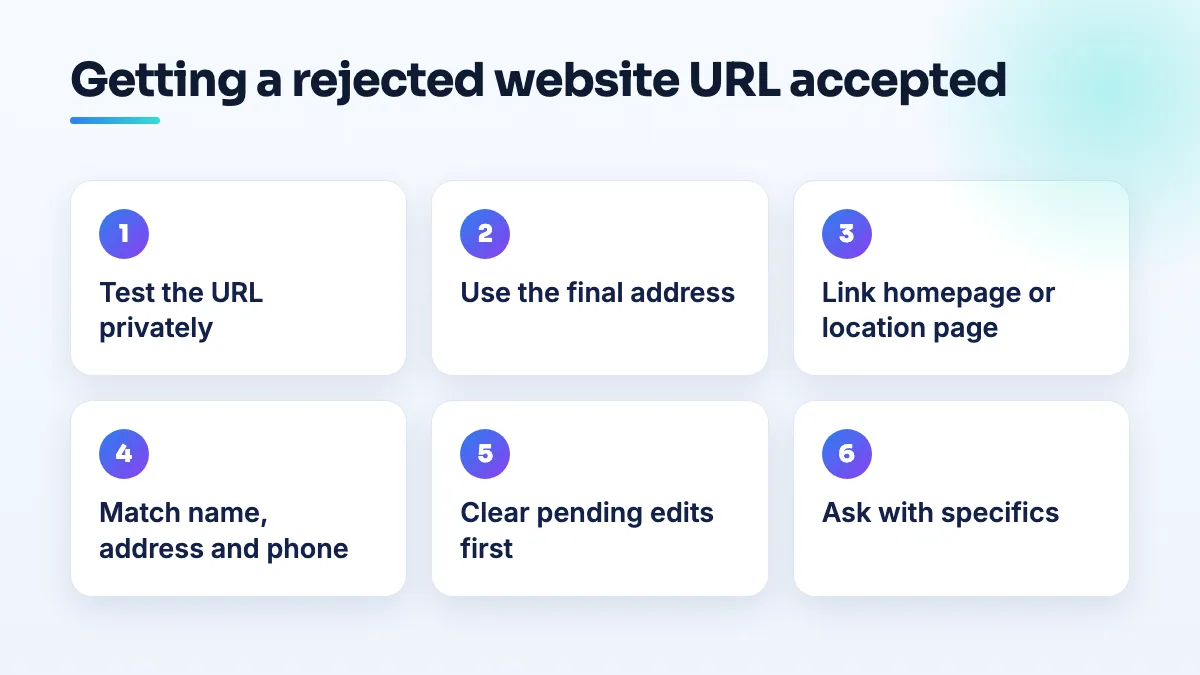
- Use the final address, not a redirecting one
- Link your own site, not social or booking pages
- Make sure the site loads with no warnings
- Match name, address and phone to the profile
- Change the website only after pending edits clear
You typed your website into your profile, and Google refused it or quietly removed it, without saying why. When a Google Business Profile website URL is rejected, in my experience the cause is one of a short list: the link redirects somewhere else, it isn't your own site, Google can't load it properly, or the site describes a different business from the profile.
Google doesn't tell you which one, so I work through them in order. Here's that order and what to do at each step.
Why a Google Business Profile website URL gets rejected
Legitimate businesses run into this. On the Local Search Forum, a repair shop owner was unable to add a legitimate website to a Google Business Profile, and no reason was given. That's typical: the website field is checked like any other edit, and a rejection doesn't come with an explanation.
These are the causes I check for, most common first:
- The link redirects. A domain that forwards to another domain, a link shortener, or a URL that bounces through several redirects before landing. Google's guidelines for representing your business don't allow website links that redirect people to pages other than the business's own.
- It isn't your own website. A social media page, a link-in-bio page, a booking platform profile or a directory listing. Those belong in the fields meant for them, not the website field.
- Google can't load it properly. The site is down, has an expired security certificate, shows a "coming soon" page, sits behind a password, or blocks visitors from some countries.
- The site describes a different business. A different name, address or phone number from the profile, or a franchise or parent company page that doesn't mention your location at all.
- The profile itself is under review. If other edits are pending, or the profile is restricted or suspended, a website change can be held or rejected along with everything else.
How to get your website URL accepted
- Open the exact URL in a private browser window. Use a phone on mobile data as well. Check it loads straight away with the padlock showing and no warning, and that the address bar still shows the same URL when it finishes loading.
- Use the final address, not a forwarding one. Copy the address the browser ends up on, usually the full https version with or without www, and enter that. If you've pointed an old domain at a new one, use the new one.
- Link your homepage or your location page. For a single location, the homepage. For one of several locations, that location's own page on your site. Not a booking link, not a social profile.
- Make the site match the profile. The business name, address (or service area) and phone number on the site should read exactly as they do on the profile, and they should be easy to find, usually in the footer and on the contact page.
- Clear pending edits first. If the profile shows changes under review, wait for those to settle before trying the website again. Then change only the website.
- Add tracking later. If you use tracking parameters on the link, add them only after the plain URL has been accepted, so you know which change caused a rejection.
- If it's still refused, ask with specifics. Contact Business Profile support or post in the Help Community with the URL, the date of each attempt and screenshots showing the site loads and shows your details. Product Experts can often spot a redirect or mismatch in a minute.
Edge cases: auto shops, startups and brand new sites
Auto repair shops sometimes run their site on a platform supplied by a franchise, a dealer group or a parts program, on a domain the shop doesn't control. If yours is one of those, move to a domain you own, or at least link a page on that site that names your shop and shows your address. Who owns the domain is one of the first things I check in auto shop SEO.
Startups have a different problem. Google's eligibility rules for Business Profiles say a business needs a location customers can visit or has to serve customers in person; online-only businesses aren't eligible. If the website is rejected alongside other edits, the question may be the profile's eligibility, not the link. I'd settle that first, which is where SEO for startups usually begins with us.
Brand new domains that are still almost empty give Google very little to check the profile against. A site with a real homepage, a services page, a contact page with your details and an about page gives Google something to match against. If you don't have one, the answer on whether you need a website with a Google Business Profile explains what the profile loses without it, and our small business website builds start with exactly those pages.
If you'd rather someone ran the checks for you, fixing rejected edits is routine in our Google Business Profile management.
People also ask
Can an agency's restricted Google account get my profile suspended?
Yes. If an agency, freelancer or vendor with access to your listing has its Google account restricted, Google can suspend every profile connected to that account, and yours goes with it. The notice says a Google account associated with the profile was restricted. Proving your address won't fix it: remove the account, have the agency resolve its restriction, and appeal on that point.
Read the full answer: Can an agency's restricted Google account get my profile suspended? →
Which Google Business Profile categories require a visible address?
Some Google Business Profile categories won't run as a hidden-address service area. Local Search Forum practitioners have confirmed Mechanic and Swimming Pool Contractor, and owners in other categories report being told theirs needs a location customers can visit. If your primary category is one of them, you either show a real address customers can come to during your hours, or choose a different category that fits your work and allows a service area.
Read the full answer: Which Google Business Profile categories require a visible address? →
Can you use a coworking space or virtual office for Google Business Profile?
Only with your own dedicated office there. Google allows a coworking address only if the office has clear signage, receives customers during business hours, and is staffed during those hours by your own staff, not the operator's reception. A virtual office, mailbox, hot desk or day pass doesn't qualify, and profiles listed at them are regularly suspended.
Read the full answer: Can you use a coworking space or virtual office for Google Business Profile? →
Why does a dealership's service department show for the brand search?
It's a recurring Google-side problem: two listings carry the dealership's name, and Google sometimes picks the service department for the knowledge panel. You can't switch it off, but distinct names, categories, links and phone numbers on each listing, a stronger main listing and a well-documented report make it much less likely to happen and easier to get fixed.
Read the full answer: Why does a dealership's service department show for the brand search? →
When does a department or second entrance get its own Google Business Profile?
Only when customers deal with it as its own place. A department that has its own entrance or counter, its own phone line, its own hours and a category different from the main business can have its own listing, named as the business plus the department. A second door, a delivery gate or an internal team can't, and listing them causes duplicate flags.