

A booth renter connects their booking app to your shop's address, Google creates a second listing there, and new reviews start landing on it instead of on yours. When the renter leaves, those reviews leave with them. If a booth renter took Google reviews from your shop, you usually can't get those reviews moved back. What you can do is close every door that let it happen, so the next renter or departing stylist can't split your listing again.
Barbershops are hit hardest, because chair renting is common and booking platforms connect to Google easily. Tattoo studios, nail salons and spas that rent rooms or stations carry the same risk. Below is how it happens, the lockdown I put in place for shops with renters, and what to do if a duplicate is already sitting on your address.
How a booth renter took Google reviews from a barbershop
The clearest case I found is a Help Community thread from a barbershop that lost about 124 reviews. A booth-renting barber connected his own Booksy profile to the shop's address. At one point the shop's listing displayed the barber's business name instead of the shop's. By the time the owner posted, the shop was split across two profiles: one with about 124 reviews and a restored one with about 14.
Nobody stole a password. The renter set up a booking account, gave it an address that was really the shop's, and Google tied the two together. That's the part owners don't see coming. The risk isn't someone logging in to your profile. It's someone creating a new record at your address that Google then confuses with yours.
Why Google doesn't stop it for you
Google's guidelines on practitioners and shared addresses do allow some individuals their own profile at a business's address, as long as they're public-facing and can be reached directly at that location during their hours. So a second name at your address isn't automatically against the rules, and a new listing there doesn't look strange to an automated system. Whether an open-floor chair renter really qualifies is a separate question, and usually the answer is no.
The bigger problem is what happens to reviews. A review belongs to the listing it was posted on, and Google doesn't move reviews between listings because you ask. In a Help Community thread from a barbershop buyer left with two verified profiles, Google wouldn't merge the reviews, and the shop stayed split 95 and 3. Once reviews are on someone else's listing, plan as if they're gone.
Booking platforms add a second layer. Barbershop owners regularly find booking buttons on their profile from accounts they don't control. A Houston shop in a Help Community thread about a Booksy button the owner couldn't remove spent two weeks being told it would be fixed in 24 to 48 hours. Removing a link after the fact is slow. Preventing it is not.
Lock down your shop's listing before anyone leaves
This is the order I work in for any shop with renters or a high staff turnover. Most of it takes an afternoon.
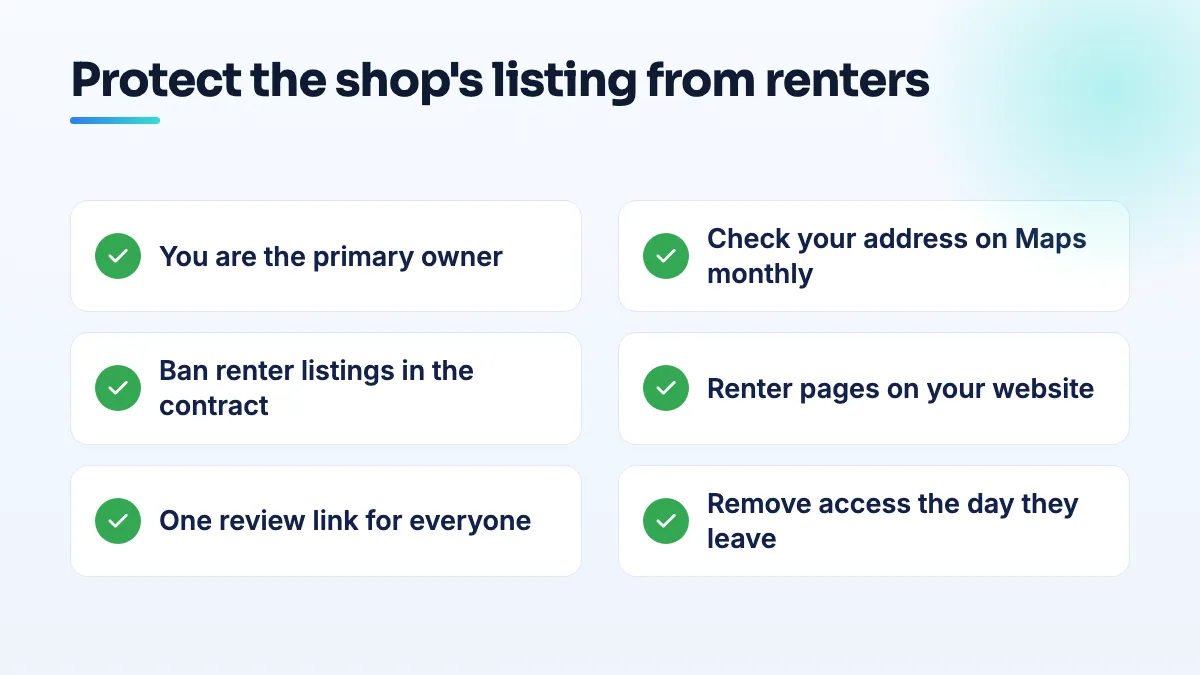
- Make sure you're the primary owner, on an account you control. Not the shop manager, not a renter, not a former marketing agency. Open the profile's user list, remove anyone who no longer works with you, and give current staff the lowest access they need. I walk through how to check who owns your Google Business Profile step by step in a separate guide.
- Search your address on Google Maps and write down every listing on it. Search the street address, your shop's name, and each renter's name and business name. Screenshot the results with the date. Do it again every month. A new listing is much easier to deal with in its first week than after a year of reviews.
- Put it in the rental agreement. Renters don't create a Google listing, and don't connect a booking or marketplace profile, using the shop's address or name. When they leave, they move or remove anything that points at your address within a set number of days. Have your lawyer word it. The point is that it's agreed before there's an argument.
- Give renters visibility that stays inside the shop. A page on your website for each renter with their photo, specialties and their own booking link. Reply to reviews that mention a renter by name, so their clients can see them. Renters who get found through the shop have less reason to build a listing of their own.
- Send every review request to the shop's listing. One review link from your own profile on cards, receipts and follow-up texts, used by everyone in the building. If each renter hands out their own link, you're building their listing, not yours.
- Check where your booking button goes. If the profile shows a booking link from a platform or account you don't use, find out whose it is now, while the person is still working for you and easy to ask.
The day a stylist or renter leaves
- Remove their access the same day. Business Profile, booking software, the shop's social accounts, the website login. Change shared passwords.
- Ask them in writing to move anything tied to your address. Their booking profile, marketplace listing and any Google listing should point at their new location. Someone opening their own place has every reason to agree, because their clients need the new address.
- Take down or update their page on your website. Don't leave their booking link live on your site. Replace the page with a short note that they've moved on and a link to the rest of the team.
- Search your address again that week and a month later. Compare with your dated screenshots. A new or renamed listing is the thing to catch.
If a duplicate listing already has your reviews
Start by writing down what you're looking at: the name on each listing, the review count on each, when the second one appeared and which booking platform is connected. Screenshots with dates. Then work through it in this order.
- If the second listing shows your shop's name, it's representing your business, so request ownership of it rather than reporting it.
- If it's the renter's listing and they've left, it describes a business that isn't at your address any more. Ask them to update it to their new address. If they won't, report it on Maps as not at this location.
- If Google has merged or mixed the two, don't make big edits to your own profile while it's being sorted out. Fix one listing at a time. I cover each case in the guide to fixing a duplicate Google Business Profile.
- Post the facts in the Help Community. Both listings, the review counts, the booking platform and your screenshots. Product Experts can escalate a case that's clearly stuck.
Be realistic about the reviews. I'd plan to rebuild the shop's count with steady review requests rather than wait for Google to hand the old ones back.
What's different for barbershops, tattoo studios, nail salons and spas
- Barbershops: Booksy was the route in the documented case, and renters often arrive with a Booksy account already set up. Make the booking-platform rule the first clause of the chair agreement. It's usually the first thing I set up in SEO for barbershops with renters.
- Tattoo studios: guest artists and apprentices are the exposure. A guest spot of a week is no reason for anyone to create a listing at your address, and an artist who goes solo should list at their own studio from day one. That's part of any tattoo shop SEO setup I do.
- Nail salons: renting techs are often told their visibility depends on the salon owner's profile. That's true for an open-floor station, so give them a fair presence on it and on your site, and they're less likely to go around you.
- Spas and massage studios: room renters bring Vagaro, Mindbody or Square accounts. In a Help Community thread about an old booking link that stayed after a switch, the previous platform's link kept showing on the profile. Check the booking button whenever a renter changes platform or leaves.
What not to do
- Don't delete your listing to start clean. Owners ask about it regularly, including a new salon owner in a Help Community thread about deleting the old profile. Deleting throws away your own review history for good.
- Don't make renters managers of the shop's profile. If they want to post or reply, do it for them or give them a spot on the website.
- Don't report a former renter's listing at their new address. Once they've moved, it's a legitimate business. Your problem is only a listing that still claims your address.
- Don't buy reviews to catch up. A sudden burst on a shop that's already tangled up with a duplicate is the kind of pattern that draws the wrong attention.
- Don't argue with the renter in public reviews. It stays on your listing long after the dispute is over.
One listing, one owner, one review link
Every thread I read about this had the same gap: nobody owned the question of who was allowed to put the shop's address on the internet. Settle it in writing, check your address monthly, and keep reviews flowing to one place. If you'd like us to do the audit and the cleanup, that's part of our Google Business Profile management, and if you're a renter wondering what you can set up yourself, start with my answer on the booth renter Google Business Profile question.
Written by Saifur Rifat, Founder & SEO Lead at SERP Squad.