


Key points
- Pre-sale reviews stay with the listing after a sale
- Flagging them as off topic rarely works
- Report only clear policy breaks, one at a time
- Reply with a dated note about new ownership
- New reviews push old complaints down the page
If you've taken over a shop and want to remove reviews from the previous owner's time, the ones still complaining about a manager who left before you arrived, you're not going to be able to delete them in bulk. What you can do is report the few that break a specific rule, answer the rest in public, and get enough new reviews that customers read about you first.
Why Google keeps reviews from the previous owner
Google treats a review as a record of someone's experience at that business, and a change of owner doesn't make that experience untrue. So a review about the old prices or the old staff is still, in Google's eyes, a review of the place.
The clearest example I found is a Help Community thread from the new manager of a Bozeman consignment store. The manager listed ten reviews written before the sale. Each one described former managers by first name, the previous owner's consignment contract terms, an old scheduling policy or a pricing structure that no longer existed. They flagged them one at a time as "Off topic", and nothing happened.
Ownership-change appeals are slow in general. Owners in a thread about stalled ownership-change appeals describe requests that simply sit. I wouldn't plan around Google making an exception for your sale.
Which reviews you can realistically get removed
A review about the previous owner isn't against the rules on its own. A review that breaks a rule still breaks it, whoever owned the business at the time. These are the ones worth reporting:
- Reviews from people with a conflict of interest. Google's contribution policy on conflicts of interest lists "current or former employment" among the relationships that count. If the seller, their family or their former staff start reviewing the business after the sale, report those.
- Reviews that name and attack a person. Harassment, personal details or hate speech get removed regardless of the date.
- Reviews clearly meant for a different business. Wrong address, wrong trade, a shop down the street.
- Obvious spam. Links, promotions, or the same text posted on several businesses.
"This was about the old owner" isn't on that list. That's why the consignment store's off-topic flags went nowhere.
How to handle the reviews you can't remove from the previous owner
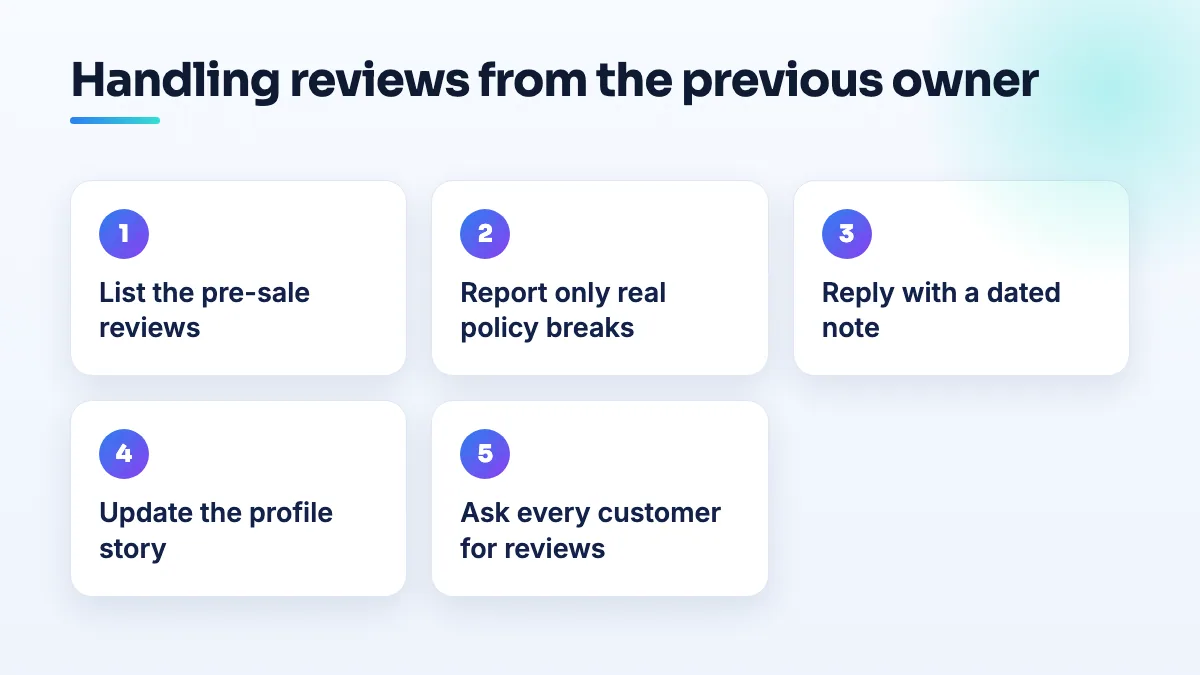
- List every pre-sale review that hurts. A simple spreadsheet: date, stars, what it complains about, and whether it's still true. Most owners find that only a handful really cost them customers.
- Report only the ones that break a named policy, one report each. Pick the specific policy that fits and report that single review. Bulk flagging everything as off topic just uses up your credibility with the review team.
- Reply to each negative pre-sale review in public. Keep it short, dated and free of blame. For example: "Thanks for the feedback. The shop changed ownership in [month, year], and the pricing and scheduling you describe no longer apply. We'd love the chance to show you how things work now." Readers see that someone is listening, and that the complaint is history. If you're unsure about tone, my guide on how to respond to negative reviews covers what to say and what to leave out.
- Tell the story on the profile itself. Mention the change of ownership in your business description, add a post about it, and upload current photos of the space and team. A customer skimming reviews should find the new version of the business in the first few seconds.
- Ask every current customer for a review. Steadily, the week you serve them, with no incentives and no script. New reviews are what move the old complaints down the page and pull the average up. It's slow, but it's the only fix that always works.
When a fresh listing is actually the right call
There's one exception. If you bought the building or the stock but you're running a genuinely different business, with a new name, a different category and a different service, the old reviews describe a business that no longer exists. In that case, marking the old business as closed and verifying your own listing can be legitimate.
Be honest with yourself about it, because it costs you the good reviews too. If you're keeping the name, the customers and the phone number, it's the same business, and you should take over the existing listing instead. I walk through that route for anyone who has bought a business and its Google listing.
What's different for shops and boutiques
Retail reviews after a sale are usually about policies rather than products: returns, consignment splits, layaway, opening hours. Put your current policies on your website and link them in your replies, so the fix is visible, not just claimed. On a retail store SEO project I also make sure the old policy pages are gone from the site, because a customer who finds them will quote them back to you.
Boutiques depend on the relationship with the owner more than most shops, so the old reviews often name people. Reply without repeating those names, and let your own team's names appear in new reviews over time. It's a common first-month job in boutique SEO after a change of hands.
What not to do
- Don't delete the listing to lose the reviews. You lose every good review with it, and the new listing starts at zero.
- Don't argue with the reviewer. A reply that blames the previous owner by name reads badly to every future customer.
- Don't buy or trade for reviews to bury the old ones. Filtered reviews disappear, and a profile caught buying them has a much bigger problem than a few old complaints.
Replying to inherited reviews and building a steady review routine after a sale are both part of our Google Business Profile management. Old complaints matter far less to a new customer once a few months of fresh reviews sit on top of them.
People also ask
Should you use Google Business Profile products or Merchant Center?
One shop with a small range that rarely changes can add products straight to its Google Business Profile, for free and without any feed. Use Merchant Center once you have a second store, a large catalog or an online store already, or when you want shoppers to see what's in stock today. Multi-location shops are effectively pushed to Merchant Center.
Read the full answer: Should you use Google Business Profile products or Merchant Center? →
Are local inventory ads worth it for a single-location store?
Only after free local listings are running cleanly and your stock data is accurate every day. Local inventory ads use the same store, price and in-store inventory feeds as the free listings, plus an ad budget, so they can't fix a broken setup. For one store with searchable, higher-margin products, a short test with a fixed budget will tell you whether they pay.
Read the full answer: Are local inventory ads worth it for a single-location store? →
How do you claim a Google listing that has no claim button?
Start from Business Profile Manager instead of the listing. Add a business, pick your existing listing from the suggestions, and Google will either let you verify it or route you to its ownership request, which emails the current owner. If neither appears, check every Google account you've used, then post the Maps link in the Help Community so a Product Expert can look.
Read the full answer: How do you claim a Google listing that has no claim button? →
Why are my customers' Google reviews not showing up?
Usually because Google is holding the review back, not because it was never written. A filtered review stays visible to the person who wrote it, so their screenshot doesn't prove it's public. New or empty accounts, sudden bursts of reviews and anything rewarded are the usual triggers. If nobody at all can leave a review, check your profile for a suspension, a verification request or a ratings restriction.
Read the full answer: Why are my customers' Google reviews not showing up? →
When does a department or second entrance get its own Google Business Profile?
Only when customers deal with it as its own place. A department that has its own entrance or counter, its own phone line, its own hours and a category different from the main business can have its own listing, named as the business plus the department. A second door, a delivery gate or an internal team can't, and listing them causes duplicate flags.