

There's a photo on your profile you didn't put there: a customer's blurry upload, your old brokerage's storefront, or a Booking.com picture that sends guests straight to the OTA. You can only delete photos you uploaded yourself. To remove customer photos from your Google Business Profile, you report the ones that break Google's rules, ask the person who posted them, and push the rest out of view with better photos of your own.
This catches barbershops, real estate agents and hotels more than most, for different reasons. I went through the Google Business Profile Help Community threads where owners are stuck with these photos, and the fix depends entirely on where the photo came from.
Why you can't just delete photos from your own profile
A Business Profile mixes content from three places: what you upload, what customers upload, and what Google pulls in from elsewhere, such as Street View and its travel partners. You own the first. The other two belong to the person or partner who contributed them, and Google decides whether they stay.
That's why owners get stuck. A barbershop in a Help Community thread about customer photos that break policy had uploads on the profile that violated Google's rules and still couldn't get them off. A realtor in a thread about an old brokerage storefront stuck on a profile switched to a service-area profile and the old brokerage's Street View image stayed. And a hotel in a thread about OTA photos on a hotel's own profile found photos on its listing that linked out to an online travel agency.
Google also picks which photo shows first. You can set a logo and suggest a cover, but it may show something else. So the realistic goal is two things: get rule-breaking photos removed, and give Google better options than the ones you don't like.
Which unwanted photos Google will actually take down
Google's policy for user contributions on Maps is the test every report is judged against. It covers content that's off-topic, offensive, misleading, promotional or that exposes someone's personal information. A photo that's real but unflattering doesn't break it. Here's how I sort them:
| Photo | Can you delete it? | What works |
|---|---|---|
| Anything you uploaded | Yes | Delete it from the photos section of your profile |
| Customer photo of another business, a meme, an ad or something offensive | No | Report it with the matching reason |
| Customer photo that shows someone's personal details | No | Report it as a privacy problem |
| Real but unflattering customer photo | No | Ask the poster, reply if it's on a review, bury it |
| Street View of an old address | No | Fix the address setup, add your own images, report if it's the wrong place |
| OTA or partner photo on a hotel profile | No | Report it, fix it at the source, upload your own set |
How to remove customer photos from your Google Business Profile
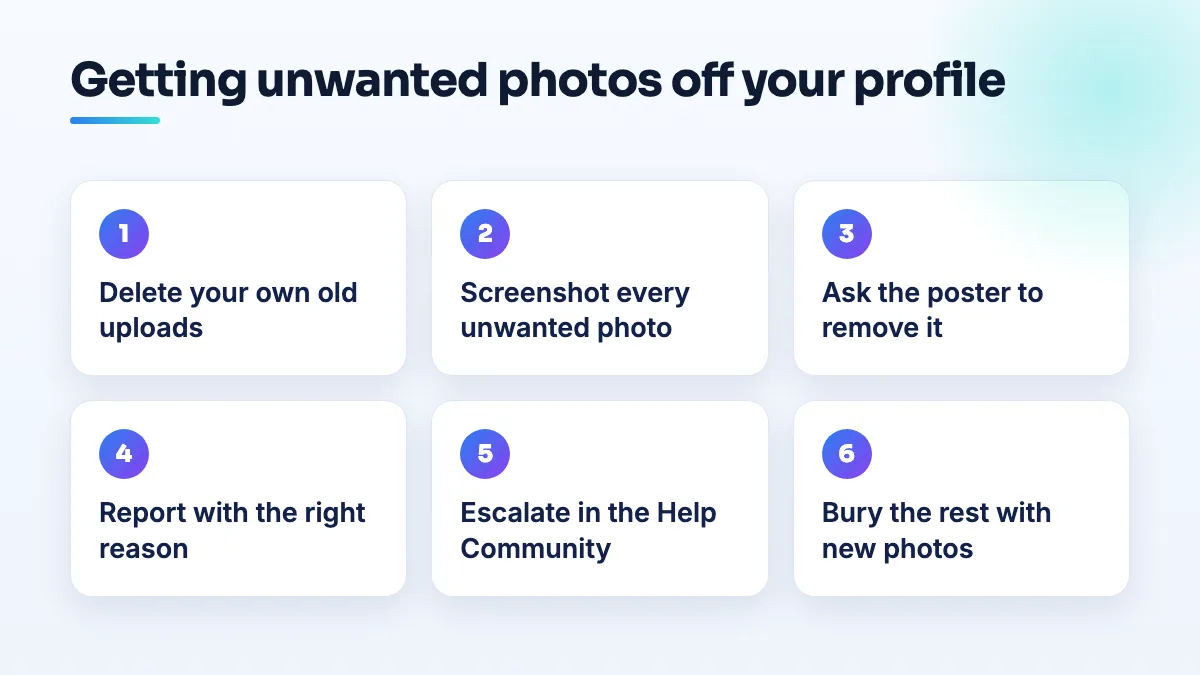
This is the order I work in. Google changes the buttons from time to time, so I describe what to do rather than every click.
- Delete your own outdated uploads first. Old logo, old storefront, staff who've left, a menu or price list that's changed. These are the only photos you can remove instantly, and they're often half the problem.
- Screenshot every unwanted photo you didn't upload. Note the date, who posted it if it shows, and which rule it breaks. If you can't name a rule, it probably isn't reportable, and it goes on the "bury" list instead.
- Ask the poster if you know who it is. A contributor can delete their own photo. A polite message to a regular client who posted an awkward shot works faster than any report.
- Report each rule-breaking photo on its own. Open the photo on Google Maps while signed in, use the report option, and pick the reason that matches: off-topic, inappropriate, privacy, or not this business. One photo, one report, the right reason.
- Give it a couple of weeks, then check. If it's gone, you're done. If not, don't report it again from five different accounts. That looks like manipulation, not evidence.
- Escalate in the Help Community with your screenshots. Post the business type, a link to each photo, the rule it breaks and the date you reported it. Product Experts can't delete anything themselves, but they can escalate a photo that clearly breaks policy.
- Bury what Google keeps. Upload a fresh set of real photos: exterior, interior, team, and your work. Then keep adding a few every month so recent, good photos keep appearing in front of the old ones.
Real estate: the old brokerage storefront that won't go away
Agents who switch brokerage, or move from the office address to a service-area profile, often find the old building still on their profile. It's usually Street View imagery, not a photo anyone uploaded, which is why there's nothing to delete. The profile was tied to that address, and the image came with it.
Here's what I'd do. First, check the address really is hidden and the service area is set, so the profile no longer points at the old office. Second, delete any photos you uploaded while you were there, including headshots with the old brand behind you. Third, upload a new headshot, a logo and photos of your recent listings, so Google has current images to choose from. If the Street View image still shows a business that isn't yours, report it on that image as the wrong place.
Go carefully with the address itself. Brokerage changes are one of the most common reasons realtor profiles get suspended, and I'd rather live with an old picture for a month than trigger a review of the whole profile. I cover the safe order in the guide on how to update your brokerage on Google Business Profile, and it's the first thing I check in any real estate agent SEO project.
Hotels: OTA photos on your own Google profile
Hotel profiles get content from more places than any other business I work on. Google's travel results pull in partner data, and that's how an OTA's photos end up on your listing, sometimes linking out to the OTA's page for your property. It's the same family of problem as a Help Community thread about third parties adding booking links to hotel profiles without permission.
What works for hotels is different from other businesses:
- Fix the photo at its source. Many OTA photos started as images you uploaded to the OTA's extranet years ago. Replace outdated ones there, or they'll keep feeding back.
- Upload a complete, current set yourself. Every room type, a bathroom, the lobby, the exterior by day and night, breakfast and parking. A thin owner gallery is what lets partner images take over.
- Report partner photos that are wrong. A photo of a different property, a room you no longer have, or a renovated space that looks nothing like it now. "Not this place" or "outdated" is a much easier case than "we'd rather guests booked direct."
- Keep your own booking link correct. Photos that pull guests to an OTA hurt most when your direct link is missing or wrong.
Photos and booking links are a big part of the work we do in SEO for hotels, because they decide whether a guest books with you or with the OTA.
Barbershops: client photos you can't take down
Barbers get more customer photos than almost anyone, because clients love posting a fresh cut. Most are fine. The ones that cause trouble tend to be a photo of a different shop, a picture of someone who didn't agree to be posted, or a bad cut from years ago under a barber who's left.
Only the first two are reportable. A real photo of a haircut someone didn't like is their experience, and Google keeps it. The answer for a barbershop is volume: you have the easiest photo content of any business, so post your own work every week, with each barber's best cuts, and the old uploads slide down on their own. That routine is part of our barbershop SEO work for exactly that reason.
What not to do
- Don't create a new profile to escape old photos. You'll end up with a duplicate, split reviews and a bigger problem than a bad picture.
- Don't keep editing your address to shake off Street View. Address edits can trigger verification and suspensions. The image isn't worth the risk.
- Don't upload stock photos to push others down. They look fake, and they can be reported too.
- Don't get staff and friends to mass-report a photo. One accurate report beats ten angry ones.
- Don't argue with a customer publicly about their photo. If it's attached to a review, reply to the review calmly and leave the photo alone.
Questions people ask
Can I hide customer photos without deleting them?
No. There's no setting that hides customer uploads from your profile. You can only report them or outnumber them.
How long does a photo report take?
Google doesn't publish a timeline. I give it a couple of weeks before escalating, and I don't resubmit in the meantime.
Will adding more photos change my ranking?
I wouldn't add photos for ranking. I add them because the photos are what people look at before they call, and good recent ones push the bad ones out of sight.
Keeping your profile clean from now on
Unwanted photos are a symptom of a profile nobody is feeding. A few real photos a month, a quick check of new customer uploads and a report on anything that breaks the rules keeps it under control. If you'd rather someone else did that, it's included in our Google Business Profile services.
Written by Saifur Rifat, Founder & SEO Lead at SERP Squad.