

If you sell lessons in packages or transfers at set fares, you've probably wondered which schema type to use, because none of them seem to be written for you. The short answer on schema markup for service packages: describe the business with one organization type, describe each package as a service or course with its price in an offer, and only mark up what a visitor can already read on the page.
Two questions from real owners frame this post. A driving school asked on Google's Search Central community whether a driving school can use Course markup, and an airport transfer company asked on Local Search Forum whether TaxiService schema fits an airport transfer service. Both are good questions, and the answers follow the same rule.
What schema markup does for a service business, and what it doesn't
Structured data is a label on your page that tells search engines what the content is: this is a business, this is a package, this is its price. It helps Google read the page correctly. It doesn't rank a page on its own, and it doesn't guarantee any special display in results. Google decides which rich results exist and who gets them, and that list changes.
So I pick schema types for accuracy, not for the chance of a star rating or a price snippet. Google's structured data guidelines ask for the same thing: the markup has to describe content that's actually on the page, and misleading markup can get a site's rich results removed. If your prices aren't on the page, don't put them in the markup.
Can a driving school use Course schema?
It depends on what you're selling. Schema.org describes a Course as an educational course that can be run as separate instances at different times, places or formats. That fits some of what driving schools sell and not the rest.
- Course fits a structured program with a syllabus. A classroom driver's ed course, a defensive driving course, a theory or permit-test course, or a set program like "10 lessons to test ready" with a defined outline. Each run of it (a Saturday class, an evening class, an online version) can be a course instance with its own schedule and format.
- Course is a stretch for plain hourly lessons. A one-hour behind-the-wheel lesson or a block of five hours isn't really a course. It's a service you sell by the hour or in bundles. I'd describe it as a service with offers for each bundle.
- Test-day car hire and pick-up are services. Using your car for the road test, or collecting the student from school, are add-on services with a price, not courses.
My advice to a driving school is to use both, each where it fits: Course for the structured programs, Service with offers for lesson bundles and add-ons, all connected to the school as the provider.
Is TaxiService the right schema for an airport transfer company?
Schema.org defines TaxiService as a service for a vehicle for hire with a driver for local travel, where fares are usually calculated by distance. That's a fair description of a taxi firm. For most airport transfer and limo companies, it's close but not quite right: you're usually pre-booked, priced per trip or per vehicle rather than by the meter, and often travel well beyond local distances.
I'd use the general Service type with a clear service type name ("Airport transfer", "Chauffeured airport car service") and an offer for each fixed route or vehicle class. If you genuinely run metered, hail-or-call local taxi work too, add TaxiService for that part only.
Another operator in a tourist market asked in a Local Search Forum thread about using the Trip schema type for airport transfers. Trip is built for scheduled journeys with set departure and arrival times, like a tour, a bus route or a boat trip. If you run a shared shuttle on a fixed timetable, it can fit. For on-demand private transfers, I'd leave it out.
Which schema type fits which package
| What you sell | Type I'd use | Properties that matter |
|---|---|---|
| The driving school or transfer company itself | LocalBusiness (or the most specific business type that honestly fits) | name, address or service area, telephone, url, openingHours, hasOfferCatalog |
| Classroom driver's ed or a set lesson program | Course, with a course instance per class format | name, description, provider, offers, and on each instance the course mode and schedule |
| Hourly lessons and lesson bundles | Service | serviceType, provider, areaServed, offers (one per bundle) |
| Fixed-fare airport transfer routes | Service | serviceType, provider, areaServed, offers with the fare and vehicle class |
| Metered local taxi work | TaxiService | provider, areaServed |
| Scheduled shared shuttle on a timetable | Trip (only if it really runs to a timetable) | departure and arrival details, offers |
How to add schema markup for service packages and prices
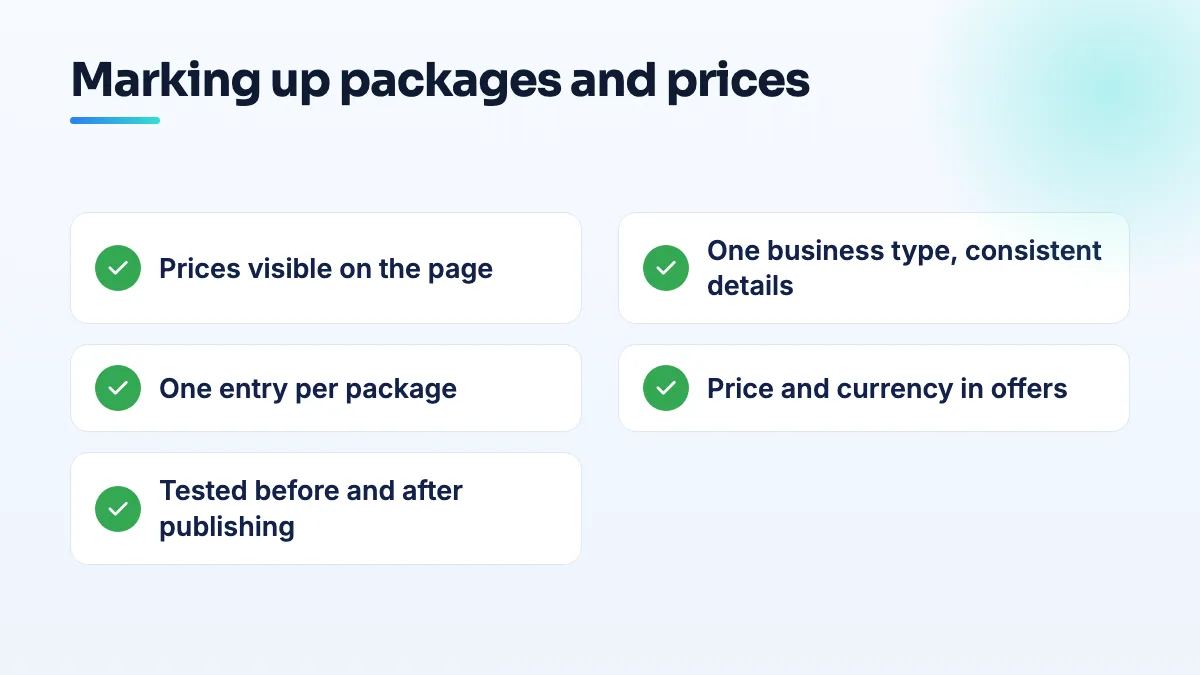
- Put every package and price on the page first. Write out each package in plain text: what's included, how many lessons or which route, the price, and what changes it (night surcharge, extra stops, test-day fee). If a price varies, show "from" pricing on the page. The markup comes after the visible content, never instead of it.
- Describe the business once. On your home page or contact page, mark up the business with its name, phone, website, hours, and address or service area exactly as they appear on your Google Business Profile. Use the same details everywhere.
- Describe each package as its own item. One Course or Service entry per package, with a name that matches the heading on the page, a short description, and the business as the provider. Put the entries on the page where each package is described.
- Add the price in an offer. Each package gets an offer with the price and currency. For a range, use a price specification with a minimum and maximum. For a per-hour lesson rate, state the unit. Don't mark up a price you won't honor.
- Set where you actually operate. Use areaServed for the towns you teach in or the airports you serve. Don't list places you don't cover to widen your reach; it doesn't help and it describes the business falsely.
- Test before and after publishing. Run the page through Google's Rich Results Test and the Schema Markup Validator. Fix errors, then check that the prices in the markup match the prices on the page.
- Update the markup when prices change. Old prices in the markup and new prices on the page is exactly the mismatch that makes structured data untrustworthy. If your site builder generates the markup from the same price field as the page, even better.
What's different for driving schools and transfer companies
Driving schools usually sell a mix: a regulated course, lesson bundles and add-ons. The trap is marking everything up as a Course because the word sounds right. Keep Course for programs with a syllabus and scheduled runs, and let the bundles be services. If individual instructors have their own pages, name them as instructors on the course instances they teach rather than creating separate business entries. It's one of the first things I check in SEO for driving schools.
Airport transfer and limo companies sell routes and vehicle classes, so their packages are really a price grid: this airport, this vehicle, this price. Mark up the routes you show on the page, and keep the grid consistent with your booking system. Where each airport gets its own page, the markup for that route belongs on that page, which ties in with the airport transfer website structure I recommend. I set both up the same way in chauffeur service SEO projects.
What not to do
- Don't mark up reviews of your own business on your own site to chase stars. Self-serving review markup isn't eligible for review stars, and copying Google reviews into markup makes it worse.
- Don't pick a type because a plugin offers it. Many plugins default every business to one type. Check what it outputs.
- Don't hide prices from visitors while showing them to search engines. That's the mismatch the guidelines exist to stop.
- Don't expect markup to fix rankings. It helps Google understand good pages. It doesn't replace them.
Getting the markup done right
Schema is quick to add and easy to get subtly wrong, usually through prices that drift out of date or a type that doesn't match the business. If you'd like it set up and checked against your real price list, it's part of our technical SEO work.
Written by Saifur Rifat, Founder & SEO Lead at SERP Squad.