

A doctor leaves, someone in the practice deletes their listing from the Google account, and months later patients are still finding it, calling your main line or booking through your link for a doctor who isn't there. That happens because deleting only ends your ownership. To remove a departed doctor's Google Business Profile properly, you strip your phone numbers and links from it first, mark it permanently closed or hand it to the doctor, and only then take it out of your account.
This matters most for hospitals and medical groups with provider-level listings, but it applies to any clinic or dental practice where associates have their own profiles. Below is the order I use, the handover option, and how to set up provider listings so the next departure is a checklist, not a mess.
Why you can't just remove a departed doctor's Google Business Profile
The clearest explanation is in a Help Community thread on removing departed providers from a health system's account. The Product Expert's procedure was to mark the listing permanently closed and then remove it from your account, with one warning: removing it takes away your ownership, not the listing. The listing stays on Google, and the doctor or anyone else can claim it afterwards. That's why the Expert said to strip any redirecting URLs and phone numbers first.
Think about what those are on a typical provider listing: your call-tracking number, your central scheduling line, your online booking link and the URL of the doctor's bio page on your site. Once you let go of the listing, you can't change any of them. Whoever claims it next inherits your phone line and your booking link.
Decide first: retire the listing or hand it over
| Situation | What I'd do |
|---|---|
| Doctor retired or left medicine | Strip your details, mark permanently closed, remove from your account |
| Doctor moved to another practice and wants their reviews | Strip your details, transfer ownership to the doctor |
| Doctor moved to another of your locations | Keep the listing and update its address, with nothing else changed that day |
| Doctor left on bad terms | Retire it, and check the employment agreement before any handover |
The reviews on a provider listing were written about that doctor. When they're moving to practice nearby, I'd rather hand the listing over cleanly than leave it closed and have them fight to reclaim it. Owners in a Reddit discussion about inheriting a profile from a former employer describe that process taking more than two months.
How to retire a departed doctor's listing, in order
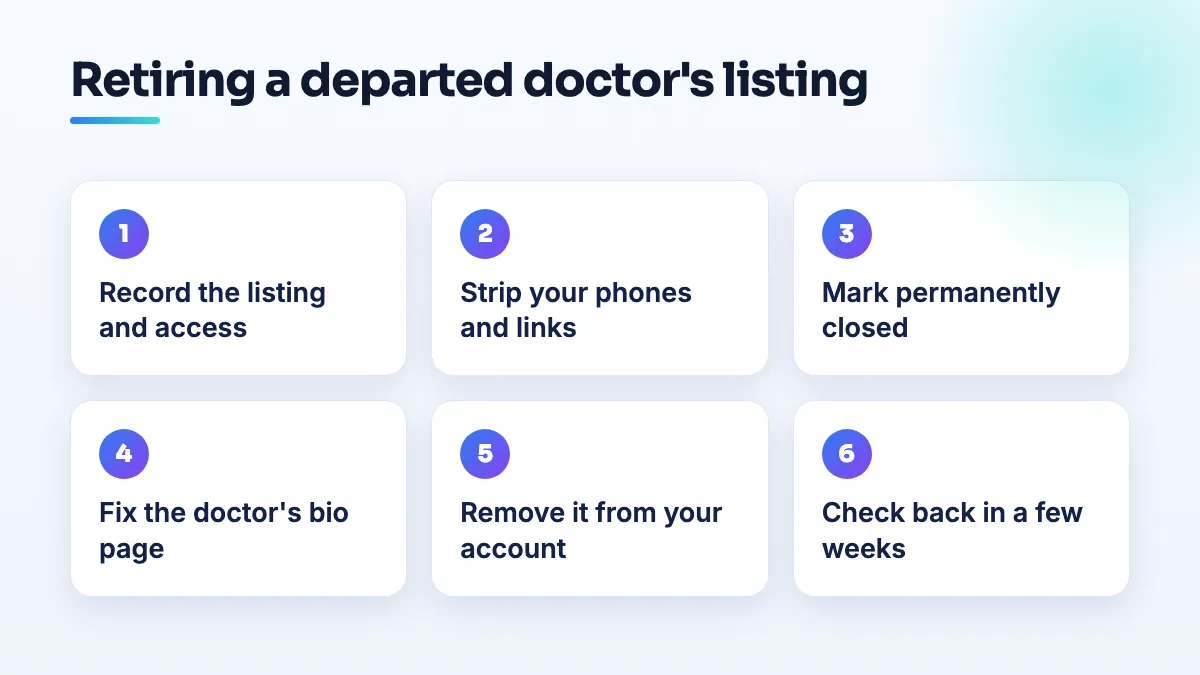
- Record the listing before you touch it. Screenshot the profile, note its business profile ID, the review count and rating, and every person and agency with access. If there's a dispute later, this is your record of what was there.
- Strip every phone number and link that points at your practice. Remove the tracking number, the central scheduling line, the appointment link and the website URL. Save and wait until the changes show publicly before going further.
- Mark the listing permanently closed. Not temporarily closed, and not by changing the hours to nothing. Permanently closed is what tells patients the doctor no longer sees anyone at this location.
- Fix the doctor's bio page on your website. Don't just delete it. Replace it with a short page saying the doctor no longer practices with you and linking to the other providers in the same specialty, so patients who search their name still land somewhere useful.
- Remove the listing from your account or location group. Only now. Your ownership ends, and the listing stays as a closed record.
- Check it again in a few weeks. Search the doctor's name. If the listing has been claimed and edited, you'll see it, and none of your numbers or links will be on it.
How to hand the listing over to the doctor
- Agree the handover in writing. Which listing, from what date, and that the doctor will update it to their new practice. Keep it short.
- Strip your phone numbers and links first, exactly as above. The doctor shouldn't start with your scheduling line on their listing.
- Add the doctor's own Google account as an owner, then make them primary owner. Once they've accepted, remove your practice's access.
- Tell the doctor to change one thing at a time. In a Help Community thread from a doctor suspended after moving practices, changing the address, phone and website after the move ended in a "deceptive practices" suspension, a rejected appeal and a promised verification email that never arrived. Address first, then wait, then the rest.
Set up provider listings so the next departure is easy
Health systems set up provider-level profiles under each location so reviews attach to the doctor, as discussed in a Help Community thread on per-doctor profiles. That only stays manageable if ownership is designed in from day one.
- The practice or system is the primary owner of every provider listing. Doctors are managers. Group the listings by location so the right team handles each one.
- Your agency is never the owner. A urology group in a Help Community thread about 38 listings suspended at once had every listing taken down because a terminated agency's account was restricted. I cover the wider setup in the guide to multi location healthcare Google Business Profile management.
- Put the listing in the exit checklist. HR handles keys, badges and email; add the Google listing, with the decision (close or hand over) made before the last day.
- Only give listings to doctors who need them. Fewer listings means fewer departures to manage. My answer on the individual practitioner listing question covers who should have one.
What's different for hospitals, medical groups and dental practices
- Hospitals and health systems have the volume problem: dozens of providers, several locations, and turnover every month. Offboarding has to be a routine, owned by one team, which is how I set it up in hospital SEO projects.
- Medical groups usually have fewer listings but more personal ones, because patients follow a named doctor. Handover is more common here, and it's worth discussing when the doctor joins, not when they resign.
- Dental practices see associates leave to open their own practice nearby. A forgotten associate listing turns into the duplicate dentist listing at the practice address that owners post about, as in a Help Community thread about a dentist's name listed at the practice. It's one of the first things I check in dental practice SEO.
What not to do
- Don't delete first. It's the one step you can't undo, and it leaves your details on a listing you no longer control.
- Don't leave your tracking number on a listing you're about to release. Those calls keep coming to you, from a listing someone else may now control.
- Don't mark a practicing doctor's listing closed without telling them. If they're working nearby, they'll dispute it, and you'll have a fight you didn't need.
- Don't reply to reviews announcing the doctor has left. Put that on the website, not in public replies on a listing you're about to close.
Make offboarding part of the process
Provider listings are worth having, but only with a plan for the day each doctor leaves. If you'd like the ownership, location groups and exit steps set up for you, that's part of our Google Business Profile management.
Written by Saifur Rifat, Founder & SEO Lead at SERP Squad.