

When two or three of your own pages chase the same search, Google keeps switching between them, and none of them ranks as well as one clear page would. The fix for keyword cannibalization on service pages is to give every page one job, merge the pages that do the same job, and make your titles and internal links agree about which page owns which search.
A photographer described the classic version in a Local Search Forum thread about home page and service page keywords overlapping: maternity, newborn and family photography pages competing with each other and with the home page. Photographers hit it often because their services sit so close together, but I see the same thing on plumber, dentist and law firm sites.
Here's how I find the overlap, decide which page should win each search, and restructure the site without losing what already ranks.
What keyword cannibalization on service pages looks like
You rarely see it directly. You see the symptoms:
- The ranking page keeps changing. One week your newborn page shows for "newborn photographer [city]", the next week it's the family page or the home page, and the position jumps around with it.
- The wrong page ranks. Someone searching for maternity sessions lands on a family page that mentions maternity once in a list.
- Two pages sit on page two instead of one on page one. Neither has enough weight on its own, because links and relevance are split between them.
- The home page ranks for everything and converts on nothing. It's trying to be the page for every service, so it's not the best answer for any of them.
Overlap isn't always a problem. If your home page and your wedding page both show for "wedding photographer [city]" and you're in the top three, leave it alone. It becomes a problem when the pages trade places, push each other down, or send the searcher to the wrong offer.
Why your own pages end up competing
In almost every case I look at, the site was built service by service without anyone deciding which page is for which search. The usual causes:
- Services that genuinely overlap. A newborn session often includes the parents and siblings. A family session can include a baby. If both pages describe both, Google can't tell them apart either.
- A home page written as a services list. Every service gets a paragraph on the home page, with the same keywords as its own page, so the home page competes with all of them.
- Copy reused across pages. The same "about my approach" block, the same FAQ and the same gallery on every service page make the pages more alike than different.
- Blog posts written for money keywords. A post called "Best newborn photographer in [city]" competes with the newborn service page for the exact search the service page exists to win.
- Internal links that disagree. The menu says "Newborn" and links one page, the footer links another, and a blog post links the home page with the anchor "newborn photos".
Google's guidance on creating helpful content asks whether each page gives a visitor a satisfying answer to what they came for. That's the practical test here too: each page should be the best answer to one kind of search, not a partial answer to several.
How to fix pages competing for the same keyword
You need Google Search Console access and a spreadsheet. Set aside an afternoon for a small site.
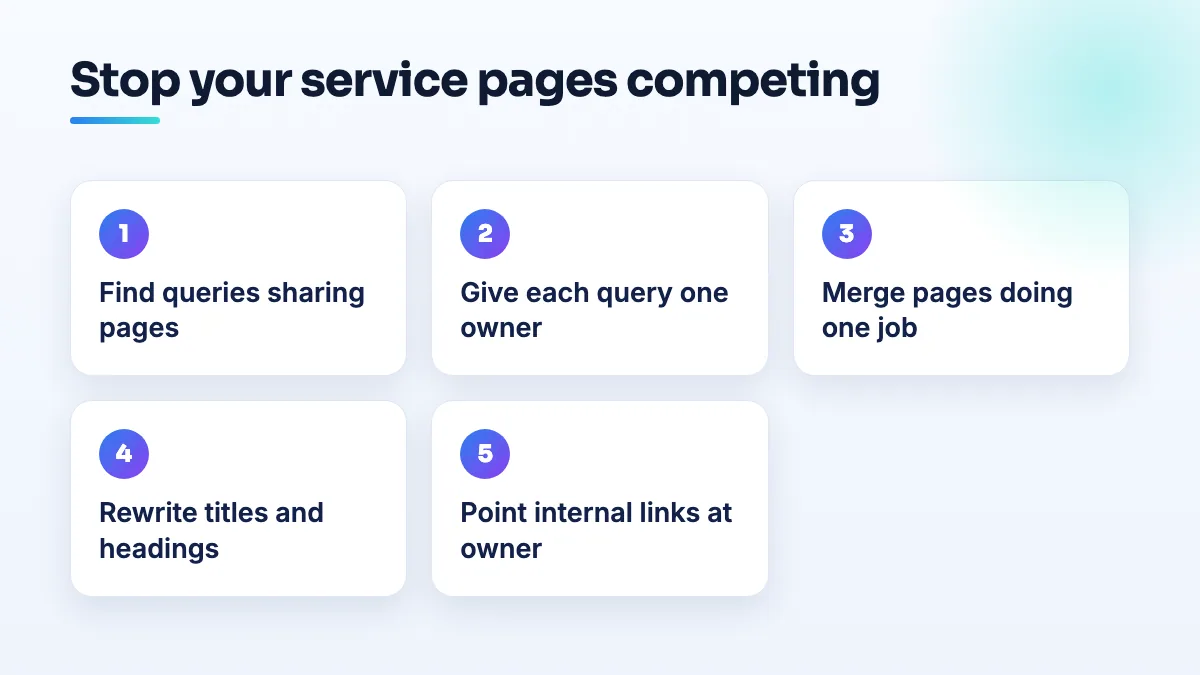
- Find the queries where more than one page shows. In Search Console's performance report, look at the last three to six months. Filter by one query at a time, starting with your most valuable ones ("newborn photographer [city]", "maternity photos [city]"), and open the pages tab. If two or more of your URLs have impressions for the same query, write the query and every URL in your sheet.
- Decide which page owns each query. For each query, pick one page. Usually it's the page whose whole topic matches the search, not the page that happens to rank today. Write the owner next to the query. The home page should own your broad brand and main-service searches ("[your name] photography", "photographer [city]"), and nothing more specific than that.
- Merge the pages that do the same job. If two pages would get the same owner for all their queries, they're one page. Combine the best of both into the stronger URL (the one with more links and clicks), then redirect the other with a 301 so its links and bookmarks carry over. Don't leave both up with a canonical tag; a canonical is a hint for duplicates, not a fix for two pages with different content.
- Differentiate the pages that should stay separate. Rewrite each so it covers what's specific to that service: who it's for, timing, what happens on the day, what's included, prices or starting prices, and a gallery of that service only. Cut the paragraphs that describe the other services and replace them with one sentence and a link.
- Rewrite titles and headings so each page claims one thing. The title tag and the main heading of the owning page should use its query. The other pages should stop using that exact wording in their titles and headings.
- Point your internal links at the owner. Anywhere you link to a service, use wording that matches that service and link the page that owns it. Change blog posts that link the home page for a service keyword so they link the service page instead.
- Check again in four to eight weeks. Go back to the same queries in Search Console. You want one URL per query, with impressions moving to the owner. If two URLs still share a query, the pages are still too alike, so repeat step 4 on those two.
How I'd split maternity, newborn and family pages
This is the situation from that forum thread, and it's a good example because the services really are connected. I'd keep three pages, because people search for them separately, and give each one clear edges.
| Page | What it owns | What it leaves to the others |
|---|---|---|
| Maternity | Pregnancy sessions: best timing in the pregnancy, outfits and gowns, studio or outdoor, what's included | A one-line mention that you also photograph the baby after birth, linking to the newborn page |
| Newborn | Sessions in the first weeks after birth: when to book, safety and posing, how long the session runs, siblings and parents in shot | Older babies and toddlers, linked to the family page |
| Family | Sessions for families with older children: locations, seasons, extended family, what to wear | Newborns, linked to the newborn page |
| Home page | Your name, your city, what you photograph, the proof (reviews, best work) and routes into each service | The detail of each service, which lives on its own page |
If you sell a "maternity and newborn" package, put the package on the newborn page and mention it from the maternity page. Don't create a fourth page for the bundle unless people search for it that way, which I rarely see.
The home page is where most photographers lose ground. When it lists every service in detail, it competes with all of them. Keep it as the page that proves who you are and sends people to the right service. That structure is the starting point for most photography SEO work I do.
When two pages should become one
I merge when any of these is true:
- Both pages would have the same owner for every query in your sheet.
- You'd struggle to write three paragraphs on one page that don't also belong on the other.
- One page gets almost no impressions and the other gets the searches for both.
- They're the same service under two names, such as "lifestyle newborn" and "in-home newborn" when you do both in the same session.
And I keep pages separate when the searches, the buyer and the offer differ, even if the photography looks similar. The same logic applies well beyond photography. Group practices with a page per clinician and a page per service run into it constantly, and I cover how to split those in the post on group practice clinician pages.
What not to do
- Don't delete a page without a redirect. You throw away whatever links and rankings it had, and visitors from old links hit an error.
- Don't noindex the losing page and leave it linked everywhere. You keep the confusion on your site and remove the page from search, which rarely helps the owner page.
- Don't fix it by stuffing the keyword into the owner page. Repeating "newborn photographer [city]" ten times doesn't make the page more relevant. Specific detail does.
- Don't write blog posts for the service keyword. Blog posts should answer questions around the service ("when should we book a newborn session?") and link to the service page, not compete with it.
- Don't change everything at once and then guess. Merge and redirect first, give it a few weeks, then rewrite. You'll know which change moved what.
Questions people ask
Is it bad if my home page ranks instead of the service page?
Only if the home page is a worse answer. If someone searching for maternity photos lands on your home page and has to hunt for the maternity details, you lose some of them. Move the ranking to the service page by trimming the service detail from the home page and linking to the service page with matching words.
Should I use a canonical tag instead of merging?
Not for service pages with different content. Canonical tags are for near-identical pages, such as the same page at two URLs. If the pages really are the same, merge and redirect. If they're different, differentiate them.
How long until the right page ranks?
Redirects usually settle within a few weeks once Google recrawls the pages. Rewrites take longer to show. I check Search Console at four and eight weeks and only make the next change after that.
Getting the structure right the first time
Most cannibalization is a planning problem, not a writing problem. If you're adding services, decide which search each new page owns before it's written. A website audit maps the overlap you already have, and our SEO content writing rewrites the pages so each one owns its search.
Written by Saifur Rifat, Founder & SEO Lead at SERP Squad.